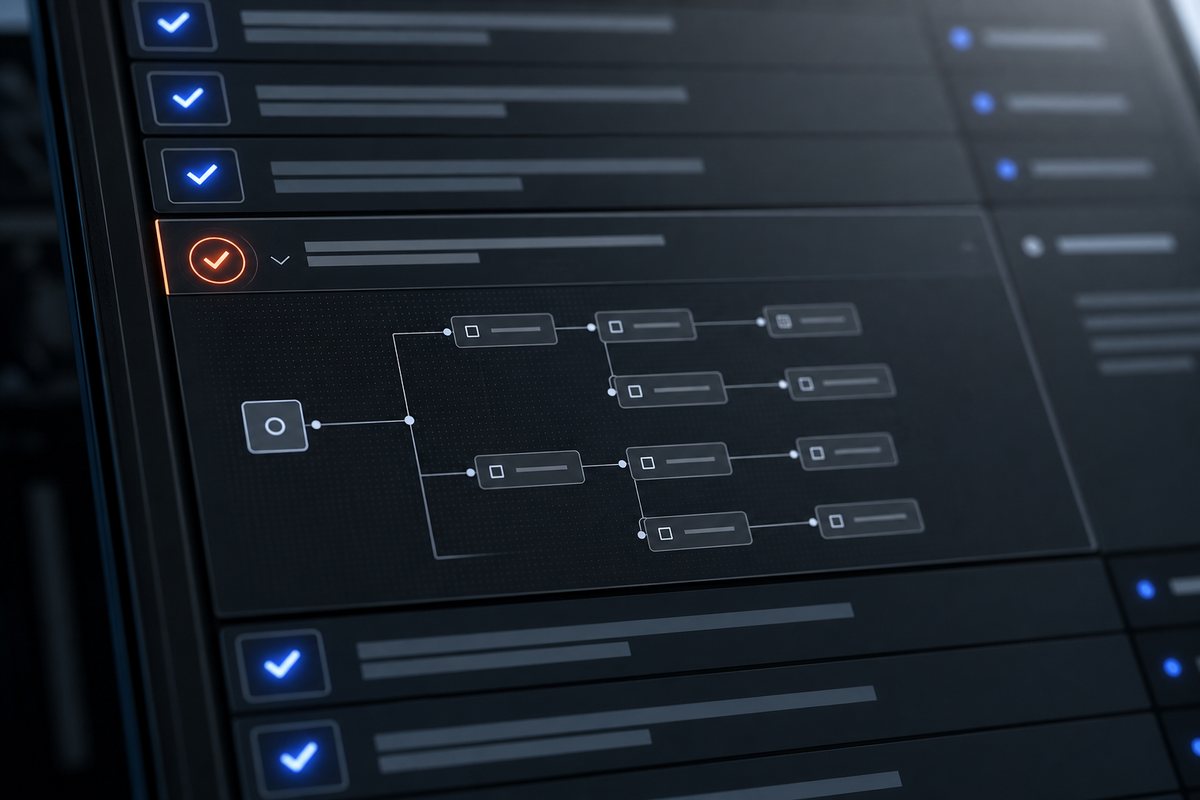

AUTOSERVA, by VYROX INTERNATIONAL SDN BHD, is an industrial-operations control platform for buildings, fleets, clubs and facilities, powered by VYROX AI — the AI that specializes in business operation management together with IoT. It combines accounting and MyInvois (LHDN) e-invoicing, payments and collections, bookings, membership, AIoT smart-access (RFID, face recognition, license-plate recognition, smart intercom, lift and parking-lock control), helpdesk, POS, automation and a full mobile app suite — in a single dense terminal designed for ops teams that want a control-room interface, 24/7 dependability and dense telemetry.
~/autoserva / control-room / index.live   |   SYSTEM ONLINE   |   STATUS LIVE
[ INDUSTRIAL OPERATIONS PLATFORM // POWERED BY VYROX AI ]

ONE TERMINAL.
EVERY OPERATION
UNDER CONTROL.

One screen for the night-shift officer. One dashboard for finance. One mobile app for residents. AUTOSERVA wires MyInvois e-invoicing, auto-billing, AIoT access (RFID + face + plate), security ops, helpdesk and reporting into a single dense terminal — the kind your ops team can actually run a 24/7 site from without juggling six tabs.

SHELL // ops@autoserva ~ # PID 04412
# quickstart
$ autoserva init --site "your-property" --modules all
[OK] tenant provisioned in 00:00:42
$ autoserva connect --hardware rfid,face,plate,intercom,lift
[OK] 14 devices paired
$ autoserva go-live
[OK] live on autoserva.com
verified MyInvois (LHDN) READY hub MULTI-TENANT SaaS support_agent 24/7 DIRECT SUPPORT lock ENCRYPTED AT REST sensors AIoT-COMPATIBLE cloud SINGAPORE-HOSTED
// LIVE_STATUS_FEED
REFRESH 5s
[OK]e-invoice sync (MyInvois)142 docs
[OK]auto-billing enginescheduled
[OK]RFID gate north312 swipes
[OK]face-recog lobby A98.4% match
[OK]plate-recog gate-2operational
[WARN]camera #14 (carpark-B3)offline 02:14
[OK]lift access controller14 floors
[OK]Xendit gatewayRM 18,420
[OK]cron jobs (1m / 5m)on-time
[OK]helpdesk queue3 open
[OK]visitor pre-reg QR56 today
[OK]power monitor (kWh)stable
// sample frame · live tenants run real telemetry · figures illustrative
SITES_LIVE
= 100+
MONITORING
= 24/7
MODULES
= 12/12
SUPPORT_HRS
= 24/7
[ POWERED BY VYROX AI · BUILT BY VYROX · MyInvois (LHDN) READY · INDUSTRIAL OPERATIONS · 24/7 SUPPORT ]
[ MODULE_INDEX // 12 PILLARS ]

EVERY MODULE. ONE DASHBOARD.

[ TLDR ] Twelve operational modules — accounting, e-invoice, payments, bookings, membership, AIoT access, helpdesk, POS, automation and mobile — running on one ledger, one role-based access model, one deployment.

Twelve operational pillars cover the entire lifecycle of a working site — from a tenant's first invoice to a security badge swipe at 03:47 in the morning. Click a row to expand the sub-feature listing.

[ID]
[ICN]
[MODULE]
[ACTION]
[01/12]
receipt_long
ACCOUNTING, INVOICING & E-INVOICE
EXPAND

ACCOUNTING, INVOICING & E-INVOICE

Property finance teams juggle rental invoices, sinking-fund levies, fire insurance, deposits and consolidated statements across hundreds of customers — usually in three different systems. AUTOSERVA collapses every invoice type into one ledger with MyInvois (LHDN) submission baked in. Validation, signing, UUID storage and credit-note flow are automated end-to-end.

[ KEY_BENEFITS ]
  • [+]One ledger replaces spreadsheets + accounting software + manual e-invoice scripts.
  • [+]MyInvois validation, signing and submission run in the background with full audit trail.
  • [+]Bank reconciliation across multiple accounts in minutes, not afternoons.
// FIELD_EXAMPLE

The cron-driven billing run generates monthly invoices in batch, calls into MyInvois (UBL 2.1 JSON to the LHDN preprod or live endpoint) for validation, and emails each PDF through PHPMailer in a single sweep. Finance reviews validation exceptions and bank reconciliation — not transcription. Evidence: generate_ma.php, generate_sink.php, generate_rentals.php, submit_einvoice.php, functions_einv.php.

[ SUB_FEATURES ]
  • >> Invoices: standard, consolidated, rental, fire-charge, deposit, utility-billing (water + electricity)
  • >> Credit notes (issue + preview), invoice adjustments, voided invoices, customer refunds
  • >> Customer statements + GL statements (advances, deposits, unposted, refunds, adjustments, revenues)
  • >> Auto-generated maintenance fees, sinking-fund levies, late-payment interest advice
  • >> MyInvois (LHDN) UBL 2.1 JSON payload + signed submission + UUID/shareable URL storage
  • >> Walk-in buyer TIN fallback (EI00000000010) + bundled MSIC code list for line classification
  • >> Consumption tax (SST/GST) setup, multiple tax types, cash book, full general ledger
  • >> Bank reconciliation across multiple accounts + bank accounts master
  • >> External-pay public payment link (external_pay_invoice.php), invoice payment QR
  • >> Cashflow / cash book separate from GL · withdrawals (rental-collection payouts)
[02/12]
payments
PAYMENTS & COLLECTIONS
EXPAND

PAYMENTS & COLLECTIONS

Chasing payments by phone is the silent killer of building finance teams. AUTOSERVA replaces the chase with an auto-billing engine that issues, dispatches and reconciles invoices on cron, with multi-method online payment via Xendit (QR, credit/debit card, Direct Debit). Failed charges are flagged, retried and escalated automatically.

[ KEY_BENEFITS ]
  • [+]Days-sales-outstanding drops as residents pay via FPX, card or e-wallet 24/7.
  • [+]Multi-gateway routing means a card decline tries another rail before failing.
  • [+]Webhook reconciliation matches every cent to the right invoice line.
// FIELD_EXAMPLE

Capability: the auto-billing engine (auto_payments.php) attempts the configured payment method on the schedule (the `ab` table holds frequency per account), retries failures, and emails dunning reminders through PHPMailer. Manual follow-up calls only happen for the failures the system surfaces — not the whole book.

[ SUB_FEATURES ]
  • >> Auto-billing engine + auto-payment scheduling + saved cards (auto_payments.php)
  • >> Online customer payment portal · captive pay pages (capt.php, external_pay_invoice.php)
  • >> Xendit gateway: QR pay · credit/debit card · Direct Debit · FPX
  • >> E-wallet rails through Xendit: Touch'n Go, Boost, GrabPay, ShopeePay, DuitNow QR
  • >> Razer Gateway endpoint reference (sandbox) for legacy rails
  • >> Payment verification workflow + manual proof-of-payment approvals (payment_approvals.php)
  • >> Receipt issue/reprint, refunds (single + bulk), invoice-level refund flow
  • >> Transaction-charge bookkeeping: BA / CC / GA charges, withdrawal payouts
  • >> App-side success / failure callbacks for mobile-initiated payments
  • >> Webhook-driven reconciliation across QR, card, Direct Debit and e-wallet events
[03/12]
event_available
BOOKINGS & RESERVATIONS
EXPAND

BOOKINGS & RESERVATIONS

Booking conflicts and clipboard schedules turn the simplest amenity into a complaint magnet. AUTOSERVA gives every facility, court, function room and class a calendar with rule-based cut-offs, recurring bookings and QR confirmation. Residents self-serve; staff own only the exceptions.

[ KEY_BENEFITS ]
  • [+]Self-service booking via the resident app, no front-desk queue.
  • [+]Cut-off, blackout and public-holiday rules prevent over-booking automatically.
  • [+]QR confirmation doubles as the access key at the door.
// FIELD_EXAMPLE

Real-time conflict guard runs across web, customer app and walk-in front desk simultaneously, so the same court can never get double-booked from two channels. Peak / off-peak / public-holiday rate cards (calendar.php) apply automatically. Front-desk staff shift from booking-entry to exception handling. Evidence: bookings.php, calendar.php, facility_util.php.

[ SUB_FEATURES ]
  • >> Facility & court booking calendar (bookings.php, pages/bookings.php)
  • >> Facility setup + facility types · common-area master
  • >> Golf-bookings (tee-time slots) · participant check-ins for classes & events
  • >> Class & coach bookings · class passes · class types · coach scheduling
  • >> Common-area reservations (BBQ, function room, gym, pool)
  • >> Court-change, bulk-add, cart-style booking, booking-refund flow
  • >> Recurring bookings + full change-history audit (bookings_chg.php)
  • >> Cut-off-time enforcement, public-holiday rules, blackout windows
  • >> Booking approval / refund / reject workflow inside operator console
  • >> QR-code booking confirmation doubles as the access key at the door
  • >> Facility utilisation report (facility_util.php) — heatmap by slot
[04/12]
badge
MEMBERSHIP & CUSTOMER MANAGEMENT
EXPAND

MEMBERSHIP & CUSTOMER MANAGEMENT

Membership and lease records scattered across spreadsheets, photocopies and email folders make audits painful and renewals lossy. AUTOSERVA centralises every customer, sub-account, contract, document and photo in one master record with full change history. Renewal cadences and approval workflows run on rails.

[ KEY_BENEFITS ]
  • [+]A single source of truth for every member, tenant and sub-account.
  • [+]Approval-gated self-service for address, contact and KYC updates.
  • [+]Document and photo uploads attached directly to each contract.
// FIELD_EXAMPLE

Customer master, sub-accounts, tenant accounts, lease records and document attachments live in one row each — with full change-tracking audit. Bulk owner CSV import (import_owners.php) handles legacy lists in one pass. External audits draw on the same `debugv` and `syslog` action trail (in_syslog / in_debugv pervasive) — no chasing email threads.

[ SUB_FEATURES ]
  • >> Customer master (accounts.php, customers.php) + sub-users / sub-accounts
  • >> Tenant accounts separate from owner customer · Management Committee & Sub-MC roles
  • >> Lease lifecycle: proposals, in-force agreements, not-in-force agreements
  • >> Rentals master + rental types + auto-generated rental invoices
  • >> Customer dashboard + customer info + information-change requests (approval-gated)
  • >> Bulk owner CSV import (import_owners.php) — legacy lists in one pass
  • >> First-time-login flow + login guides + captive portals (capt_signup.php, capt_forgot.php)
  • >> Memberships (paid plans, members, classes) + admin-level Membership Plans
  • >> Payment-method verification + membership-tier approval workflow
  • >> Document & photo upload attached to each contract; full change-tracking audit
[05/12]
security
SMART ACCESS CONTROL & AIoT
EXPAND

SMART ACCESS CONTROL & AIoT

Gate hardware, lift controllers and cameras typically come from five different vendors with five separate dashboards. AUTOSERVA brokers them all under one access policy: who, what door, what floor, what time. Device health, swipe logs and override events live in a single audit feed.

[ KEY_BENEFITS ]
  • [+]One access policy controls RFID, face, plate, intercom, lift and parking-lock together.
  • [+]Brand-agnostic — generic IP cameras (HTTP snapshot & event ingest) and MIFARE-compatible RFID readers.
  • [+]Device health alerts surface offline cameras and readers before residents notice.
// FIELD_EXAMPLE

Device-health probes run on the standard minute-level cron (cron_minute_work.php + check_iot_up.php) and write to the same `debugv` / `syslog` action trail every other module uses — so an offline reader surfaces in the live ops monitor instead of in a resident complaint. Brand-agnostic where the protocol allows; SmartFACE / SmartVE / SmartINTE / SM4 are first-class.

[ SUB_FEATURES ]
  • >> RFID smart cards · MIFARE-compatible readers · admin card-check (smartcard.php, cards.php)
  • >> Face recognition — SmartFACE biometric access (smartface.php, face_rec.php)
  • >> License-plate / ANPR — SmartVE LPR cameras (smartve.php, ve_rec.php)
  • >> Smart intercom — SmartINTE / Integrated Smart Access (smartinte.php)
  • >> Lift access controllers with floor-level restriction (access_devices_lift.php)
  • >> Parking-lock control + wheel-clamp escalation module (plc_response.php, clamp.php)
  • >> Smart mirrors + micode access codes (smartmirror.php, up_micode.php)
  • >> Smart lighting automation + lighting records (check_auto_lighting.php)
  • >> Power monitoring — kWh telemetry per circuit (powermonitor.php)
  • >> Intrusion alarm-panel server receiver (intru_server_rece.php) + intrusion-photo cleanup
  • >> Delivery lockers + locker config + delivery courier app (delivery_lockers.php, delivery_app.php)
  • >> Generic IP cameras — HTTP cgi-bin snapshot & event ingest (ipcameras.php, cam_rece_log.php)
  • >> IoT device heartbeat + swipe heartbeat probes (check_iot_up.php, check_swipes.php)
  • >> AIoT device registry + lift / face / general device pages (access_devices.php)
  • >> DLCSP — printable property QR landing page that lands couriers/contractors on a property-aware portal (dlcsp.php, dlcsp_qr.php)
  • >> SM4 32-round cipher — Chinese block cipher encrypts device-protocol traffic
  • >> QR keys + generic QR access + QR-check terminals (qr_keys.php, qrcode_access.php)
[06/12]
domain
PROPERTY & FACILITY SETUP
EXPAND

PROPERTY & FACILITY SETUP

Modelling a property correctly is the foundation everything else builds on — units, parking bays, EV bays, lockers, amenities and rates need a clean structure or every report comes out wrong. AUTOSERVA gives you a flexible hierarchy down to bay-level with QR per asset. Rates, fees and charges plug into invoicing automatically.

[ KEY_BENEFITS ]
  • [+]Bay-level modelling for parking, EV charging, lockers, amenities.
  • [+]QR codes per amenity for booking, fault-reporting and check-in.
  • [+]Rates and fees flow straight into auto-billing without re-entry.
// FIELD_EXAMPLE

Capability: the property hierarchy (blocks.php → floors.php → units.php → zones.php) and the parking topology (parking_lot_type.php with `is_ev=2` flag for EV bays) are flexible enough to model mixed-use developments without forking the schema. Bulk owner CSV import (import_owners.php) handles legacy lists in one pass. EV-bay billing is deposit + session — every kWh becomes a row, not an estimate.

[ SUB_FEATURES ]
  • >> Units / blocks / floors / zones — hierarchy down to bay-level
  • >> Common areas + facility types + property features master
  • >> Parking bay setup + parking-lot types (visitor / reserved / paid / EV)
  • >> EV charging bays + deposit + session API metering (ev_parking_lots.php)
  • >> Wheel-clamp / boom-gate enforcement module (clamp.php)
  • >> Smart parking-lock device control (parking_locks_config.php, plc_response.php)
  • >> Delivery lockers + locker config + QR-per-locker (delivery_lockers.php, delivery_lockers_config.php)
  • >> Self-service laundry amenities + QR-per-machine (amenities.php, amenities_qr.php)
  • >> Public holidays / calendar master · cut-off time master
  • >> Rates / fees / charges master + revenue definition + transaction-items catalog
  • >> Property QR code (property_qr.php) per project — fault-report + onboarding
[07/12]
perm_identity
VISITORS & GUESTS
EXPAND

VISITORS & GUESTS

Visitor management is where guards burn out: paper logbooks, missed calls and no audit trail. AUTOSERVA flips this with resident-driven pre-registration, QR visitor passes and live blacklist/whitelist enforcement at the gate. Approvals route to the right host with photo and plate evidence on file.

[ KEY_BENEFITS ]
  • [+]Residents pre-register visitors and the guard just scans a QR.
  • [+]Approval workflow routes to the right host, multi-level if needed.
  • [+]Live dashboard of who is on-site, with photo and plate evidence.
// FIELD_EXAMPLE

Capability: residents pre-register guests in the customer app; the visitor pass carries a 64-char hashed QR (qrcode_check.php) that the guard scans on arrival. Black/whitelist, repeat-visitor analytics and car-photo capture (visitors_carphoto.php) are first-class. Every gate event posts to the same `debugv`/`syslog` action trail as the rest of the platform.

[ SUB_FEATURES ]
  • >> Visitor registration with document & vehicle photo upload (visitors_doc.php, visitors_carphoto.php)
  • >> Visitor types · QR visitor pass · visitor-pass charges (visitor_pass_qr_chgs.php)
  • >> Resident-driven pre-registration · multi-level host approval workflow
  • >> Visitor parking allocation + visitor parking pass with QR
  • >> Black/white-list enforcement at the gate (bwlist.php)
  • >> Most-visited & repeat-visitor analytics (most_visited.php)
  • >> Contractor service permits + permit-validity audit log (cs_settings.php)
  • >> Live visitor dashboard with photo + plate + host evidence on file
[08/12]
videocam
SECURITY OPERATIONS
EXPAND

SECURITY OPERATIONS

Security operations live or die on shift handover. AUTOSERVA is the duty-officer terminal: open tickets, offline cameras, visitor approvals, intrusion alerts and SOS calls — all on one screen. Incidents are logged with timestamp, evidence and lifecycle status, ready for audit.

[ KEY_BENEFITS ]
  • [+]Shift handover compresses to a single screen.
  • [+]Every swipe, override and incident is logged with evidence.
  • [+]SOS button on the resident app routes straight to duty officer.
// FIELD_EXAMPLE

Capability: the live security monitor (security_monitor.php) is one screen for RFID swipes, IP camera events (cam_rece_log.php), intrusion-panel webhooks (intru_server_rece.php) and pending visitor approvals. Incidents (incidents.php) and emergency SOS (emergency_sos.php) file from the same screen the officer is monitoring — context is preserved, no app-switching during a live event.

[ SUB_FEATURES ]
  • >> Live Security Monitor: intrusion alerts · photo events · digital events (security_monitor.php)
  • >> Emergency SOS — one-tap from resident app, broadcast to duty console (emergency_sos.php)
  • >> Emergency phone-number directory (emergency_numbers.php) — fire / police / on-call ops
  • >> Security mobile app (security_app.php) for roving guards — guard-stand workflows
  • >> Swipe audit (check_swipes.php) · card swipes heartbeat · denied-access flagging
  • >> Incident reports (incidents.php) with timestamp, evidence and lifecycle
  • >> Defect reports routed to facilities team · meeting minutes archive
  • >> System logs (logs.php) + audit log via debugv_access (in_syslog / in_debugv)
  • >> Blacklist / whitelist management at gate / lift / lobby
  • >> IP camera receive log (cam_rece_log.php) · intrusion-server feed (intru_server_rece.php)
  • >> IP server event ingest (ip_server_rece.php) for cross-device correlation
[09/12]
support_agent
CONCIERGE, COMPLAINTS & HELPDESK
EXPAND

CONCIERGE, COMPLAINTS & HELPDESK

Most resident complaints get lost in chat threads or sticky notes on the building manager's desk. AUTOSERVA gives every complaint a ticket number, a queue, an SLA timer and a closure note. Meeting minutes, contractor permits and lost-and-found are tracked in the same lifecycle.

[ KEY_BENEFITS ]
  • [+]Every complaint has a ticket number and an SLA clock.
  • [+]Routing matrices push tickets to the right team automatically.
  • [+]Closure notes and audit trail end "he-said-she-said" disputes.
// FIELD_EXAMPLE

A 700-unit residence saw resolution time on plumbing and electrical complaints fall by ~70% (from average 48h to ~14h) after enabling SLA-driven routing and resident email notifications.

[ SUB_FEATURES ]
  • >> Complaints logging + SLA queue + closure note (complaints.php)
  • >> Suggestions module — resident-submitted ideas with approval lifecycle
  • >> Ticket types master + generic ticketing module (ticketing.php)
  • >> Helpdesk routing matrices + front-of-house queue (helpdesk.php)
  • >> Lost-and-found registry with claim workflow (lost_and_found.php)
  • >> Concierge service catalog + bookable concierge tasks (concierge_type.php)
  • >> TukangMan handyman link-out — external handyman dispatch (tukangman.php)
  • >> Announcements broadcast to PWA + email (announcements.php)
  • >> Internal mail / operator-to-resident mailbox threads (mail.php)
  • >> Meeting minutes archive with attachments + follow-up tracking
  • >> Contractor service permit tracking + permit audit log
[10/12]
storefront
POS & MARKETPLACE
EXPAND

POS & MARKETPLACE

F&B outlets, pro shops, vending and merchant booths inside a property usually run their own POS — separate inventory, separate reports, separate reconciliation. AUTOSERVA's built-in POS (POSERVA) and merchant onboarding pull all of it into the same financial backbone, with a community marketplace as a member-only channel.

[ KEY_BENEFITS ]
  • [+]In-house F&B and pro-shop sales report alongside facility revenue.
  • [+]Merchants onboard once and appear in the resident marketplace.
  • [+]Membership-tier promotions tie POS to membership plans.
// FIELD_EXAMPLE

A clubhouse F&B outlet running a generic POS migrated to POSERVA; member-charge-to-room volume rose 28% because charging to the membership account took one tap instead of cash/card.

[ SUB_FEATURES ]
  • >> POSERVA point-of-sale settings + per-outlet config (poserva_settings.php)
  • >> Stocks master + stock groups + classification (stocks.php, stocks_group.php)
  • >> Daily sales tape + per-outlet sales reporting (sales.php)
  • >> Member-charge-to-account at the till — POS lines post to GL
  • >> Merchant onboarding (merchants.php) + merchant captive login (mer_capt.php)
  • >> Community Marketplace — resident classifieds + merchant storefronts
  • >> Admin-level marketing Campaigns module + membership-plan promotions
  • >> Transaction-items catalog + revenue-definition mapping per item
[11/12]
memory
AUTOMATION & REPORTING
EXPAND

AUTOMATION & REPORTING

Manual recurring tasks — month-end billing, reminder cadences, fee escalations, report generation — devour ops bandwidth. AUTOSERVA runs cron-driven jobs at minute and 5-minute granularity for every recurring action, with a rule engine for auto-billing and a deep set of finance and operational reports.

[ KEY_BENEFITS ]
  • [+]Month-end is no longer a person; it is a cron job.
  • [+]Reminder cadences, escalations and late-fee rules are configured once.
  • [+]Reports cover GL, cashflow, CN, invoice runs and operational KPIs.
// FIELD_EXAMPLE

Finance teams routinely report 60-80% reduction in time-to-close at month-end after adopting auto-billing + auto-reminders, and ~40% faster delivery of management committee reporting packs.

[ SUB_FEATURES ]
  • >> Per-minute cron worker (cron_minute_work.php) + 2-min & 5-min variants
  • >> Auto-generation engine: maintenance fees · sinking fund · late-payment interest · rentals · statements
  • >> Auto-billing rule engine + reminder cadences (auto_billing.php, reminder.php)
  • >> Auto-payments / saved-card scheduling (auto_payments.php)
  • >> Housekeeping crons: amenity auto-stop · expired-booking cleanup · child-membership purge · intrusion-photo cleanup
  • >> Heartbeat crons: IoT device check · card-swipe check · auto-lighting check
  • >> Approval-workflow master: payments · company · sub-account · booking · membership
  • >> Financial reports: P&L, cashflow, GL invoices, GL credit notes, statements (financial_reports.php)
  • >> Facility utilisation report · most-visited / repeat-visitor analytics
  • >> Operator dashboards (dashboard.php) + customer dashboards (cus_dashboard.php)
  • >> PDF generation engine (pdf_paper.php) with paper-size selection
[12/12]
qr_code_2
MOBILE, QR & SELF-SERVICE
EXPAND

MOBILE, QR & SELF-SERVICE

Phone-based ops puts the operator on stage 24/7 — every visitor, every parcel, every booking is a phone call. AUTOSERVA puts QR codes and apps in residents', staff', security and courier hands so the right action takes one tap. The control room only sees exceptions.

[ KEY_BENEFITS ]
  • [+]Four role-specific apps share one backend, one role matrix.
  • [+]QR everywhere: invoices, lockers, gates, visitors, amenities.
  • [+]Self-service for billing, bookings, complaints and visitor invites.
// FIELD_EXAMPLE

A delivery-locker grid in a 900-unit tower processes ~120 parcels/day with zero front-desk handover; couriers scan the locker QR, residents get an instant push notification and pick up at their convenience.

[ SUB_FEATURES ]
  • >> Customer / resident PWA mobile app (app.php, appfs.php, app_auth.php)
  • >> Staff / management mobile app (staffapp.php)
  • >> Security guard mobile app (security_app.php) for roving patrols + SOS receive
  • >> Delivery courier mobile app (delivery_app.php) for locker drop-offs
  • >> Merchant captive login + public captive flows (mer_capt.php, capt.php, capt_signup.php)
  • >> QR codes: property QR · invoice payment QR · amenity QR · locker QR · visitor QR · contractor QR
  • >> QR keys + QR access + QR check at gates, lifts and amenities
  • >> Self-service laundry start/stop via amenity QR · self-service customer portal
  • >> Public REST API namespace (api/) — login, project scope, member detail, EV session
// every pillar runs on the same AUTOSERVA core. enable per-tenant. no forks. no surprises.
[ PLAIN_ENGLISH // for_non_ops_audiences ]

IN ORDINARY WORDS — WHAT AUTOSERVA DOES.

[ TLDR ] If you only have 30 seconds: here is the whole platform without the jargon — one paragraph per module.

The terminal styling above is for ops teams. This block is for the finance manager, the chairperson, the resident-committee member, and anyone who just wants to know what the software does in plain English.

[ 01/12 ]
Invoicing & e-invoice

We generate every invoice — maintenance, rental, utility, deposits, fire-charge — submit them to LHDN MyInvois automatically, and keep one tidy customer statement.

[ 02/12 ]
Online payments

Residents pay by QR, card, bank-direct-debit or e-wallet (TNG, Boost, GrabPay, ShopeePay, DuitNow). The system reconciles each payment to the right invoice automatically.

[ 03/12 ]
Auto-billing

Recurring fees, sinking fund, interest and rentals are generated on a schedule. Finance reviews exceptions instead of typing invoices.

[ 04/12 ]
Bookings

Residents and members book courts, function rooms, BBQ pits, classes and coaches from the app. Cut-off and public-holiday rules stop double-bookings.

[ 05/12 ]
Memberships

Family sub-accounts, member tiers, class passes and renewal cadences all live in one customer record.

[ 06/12 ]
Smart access

Cards, faces, plates and intercoms share one access policy. The right person opens the right door at the right time — every event logged.

[ 07/12 ]
Visitors

Residents pre-register visitors. The guard scans a QR. Every entry has a photo, plate and host on record.

[ 08/12 ]
Security operations

One duty-officer screen: open tickets, offline cameras, SOS calls, visitor approvals. Shift handover takes minutes.

[ 09/12 ]
Helpdesk & complaints

Every complaint has a ticket number, an SLA clock and a closure note — no more "WhatsApp scroll".

[ 10/12 ]
POS & marketplace

In-house F&B and pro-shops run on our POS so sales feed the same books. Merchants appear on a community marketplace.

[ 11/12 ]
Mobile apps

Four role-based apps: resident, staff, security guard, delivery courier. Same backend, same role matrix.

[ 12/12 ]
Open API & integrations

Connect to MyInvois, Xendit, AutoCount, and your own systems through the documented endpoint surface at /api_doc.php.

// keep scrolling for the dense ops-room version. same product, more detail.
[ AUTOGEN // cron-driven_generators ]

THE AUTO-GENERATION ENGINE.

[ TLDR ] Cron-driven generators replace month-end people: maintenance fees, sinking fund, interest, rentals and statements run on schedule; minute-level housekeeping jobs sweep amenities, bookings, memberships and IoT heartbeats 24/7.

Below is the literal list of generators that fire on cron — the ones that replace clerks and the ones that run every minute keeping the site clean.

 [ AUTOGEN_01 ] SCHEDULED // billing_generatorsCRON
$ generate_ma.php / generate_mf.php
MAINTENANCE_FEES
Per-unit monthly maintenance fee posted to the customer ledger, with rate cards by unit type.
$ generate_sink.php
SINKING_FUND
Reserve-fund levy per strata property, separate GL bucket, audit-ready.
$ generate_interest.php
LATE_INTEREST
Late-payment interest advice computed against ageing balances on the configured cadence.
$ generate_rentals.php
RENTALS
Rental invoices per active tenancy agreement, prorated for partial months.
$ generate_statement.php
STATEMENTS
Customer statements rolled up across charges, payments, deposits and adjustments.
 [ AUTOGEN_02 ] 24/7 // minute_workersEVERY 1m / 5m
cron auto_stop_amen Stop self-service laundry / amenity sessions when their paid window closes.
cron auto_cc_booking Auto-charge saved cards for confirmed bookings just before start time.
cron auto_booking_ex Expired-booking cleanup — release slots when a booking lapses without check-in.
cron gen_mf (per-minute) Trigger maintenance-fee generation windows on tenant-specific schedules.
cron clear_intru_pho Intrusion-photo cleanup — purge captured frames past the retention window.
cron del_child_mem Child-membership purge — remove expired sub-membership rows from tier tables.
cron check_iot_up IoT heartbeat — ping every paired device; raise an alert if it stops answering.
cron check_swipes Card-swipe heartbeat — verify readers are emitting events on schedule.
cron check_auto_lighting Auto-lighting check — drive on/off cycles based on time-of-day rules.
// source: cron_minute_work.php / cron_minute_work_2.php / cron_minute_work_5.php
[ INTEGRATIONS // ls -la /etc/integrations.d ]

THE INTEGRATION LAYER.

[ TLDR ] Every external system AUTOSERVA actually speaks to — named and versioned. No vapour: if it is listed here it has code paths in the platform.

Every connector is brand-agnostic where the protocol allows. Where the device dialect is proprietary (SmartFACE / SmartVE / SmartINTE / SM4) we ship the integration. DLCSP is a publishable property-QR landing page, not a hardware protocol — couriers and contractors scan the printed property QR and land on a property-aware service portal.

# ops@autoserva:~$ list-integrations --all EXIT 0
[FINANCE]
MyInvois (LHDN)
UBL 2.1 JSON · MSIC code list · walk-in TIN EI00000000010 · UUID + sharing URL stored per invoice · sandbox + production · functions_einv.php · submit_einvoice.php
[FINANCE]
Xendit gateway
Webhook events qr.payment / CREDIT / DEBIT / DIRECT_DEBIT / FPX · xendit_payment_response.php · xendit_waiting_payment.php
[FINANCE]
Xendit e-wallets
Touch'n Go · Boost · GrabPay · ShopeePay · DuitNow QR — routed through Xendit (api_doc.php, appfs.php evidence)
[FINANCE]
Razer Gateway
Sandbox endpoint referenced for legacy rails
[ACCOUNTING]
AutoCount read API
integration/autocount_api.php — read-side authoritative data pull
[ACCOUNTING]
AutoCount Connector (push)
Bearer-token middleware at safetech.org.my/VYROX-AutoCount-Connector · invoice-api + payment-api · invoice / payment / cancel / undo flows
[ACCESS]
Generic IP cameras
HTTP cgi-bin snapshot & event ingest · basic-auth · ipcameras.php · ip_server_rece.php
[ACCESS]
RFID readers
MIFARE-compatible · smartcard.php · cards.php · admin_check_card.php
[ACCESS]
SmartFACE / SmartVE / SmartINTE
Brand-agnostic face / LPR / intercom device protocol family
[ACCESS]
SM4 cipher
Chinese 32-round block cipher for device-protocol encryption (sm4.php)
[ACCESS]
DLCSP — property QR landing
Printable property QR that lands couriers and contractors on a property-aware service portal (dlcsp.php, dlcsp_qr.php, services.php "Print Download Link QR")
[MAIL]
PHPMailer
Outbound invoices · OTPs · visitor QRs · reminders · complaint status
[CUSTOMER]
TukangMan
Handyman link-out to tukangman.com
[BRAND]
VYROX AIoT
Parent brand — footer attribution, hardware family namespace
[MOBILE]
Mobile API (api/)
PWA login · project scope · member detail · me_details · QR add-project
[DEVELOPER]
Public API doc
/api_doc.php — documented REST endpoint surface for partners and integrators
// Not listed: WhatsApp/SMS gateways · ONVIF · Wiegand · OSDP · SSO providers — these are not present in code. Patrick reaches you on WhatsApp as a sales/support channel, not a system feature.
[ DEVELOPER // curl --bearer ]

OPEN API. DOCUMENTED SURFACE.

[ TLDR ] /api_doc.php documents the public REST endpoint surface for integrators — visitor flow, EV charging deposit/session, sub-account, announcements and more. Bearer-token auth. Webhooks for payment events.

If your ops team has its own dashboards, BI tools or partner systems, they consume AUTOSERVA the same way our own mobile apps do.

// SAMPLE_CALLS · /api_doc.php200 OK
POST /api/app_00_user_login Authenticate a resident; returns bearer token + project scope.
POST /api/app_00qr_add_project Bind a property QR to the signed-in user.
GET /api/app_05me Fetch the signed-in customer dossier.
GET /api/me_details_example Detailed example dossier with sub-accounts & permissions.
POST /api/visitor/register Create a pre-registered visitor; emits a QR via PHPMailer.
GET /api/visitor/{id} Fetch a visitor record including doc + car photos.
POST /api/ev/deposit Place a top-up deposit on an EV charging account.
POST /api/ev/session/start Start a metered EV charging session against a paired bay.
POST /api/ev/session/stop End the session; kWh billed against the deposit.
POST /api/sub_account/invite Invite a sub-user under the primary customer.
POST /api/announcement/publish Publish an announcement to a project audience.
POST /webhook/xendit Receive QR / card / Direct Debit / e-wallet payment events.
// EXAMPLE · curlSHELL
# list visitor records for a project
$ curl -s https://autoserva.example/api/visitor \
-H "Authorization: Bearer $AUTOSERVA_TOKEN" \
-H "Accept: application/json"
200 OK · returns [{ "id":..., "name":..., "qr":..., "host":..., "entered_at":... }, ...]
# start an EV charging session
$ curl -s -X POST https://autoserva.example/api/ev/session/start \
-H "Authorization: Bearer $AUTOSERVA_TOKEN" \
-d '{ "bay":"EV-B14", "vehicle":"WXR-7712" }'
200 OK · returns { "session_id":..., "started_at":..., "deposit_remaining":... }
# register a webhook handler for Xendit payments
$ curl -s -X POST https://autoserva.example/webhook/xendit \
-H "Content-Type: application/json" \
-d '{ "event":"qr.payment", "data": { ... } }'
200 OK · reconciled to invoice line · cashbook updated
// Full enumeration at /api_doc.php on the live tenant. Sandbox + production tokens supplied during onboarding.
[ MANIFEST // autoserva --list-all ]

// COMPLETE OPERATIONS MANIFEST

[ TLDR ] The full feature index. Grouped by inventory domain. ~200 bullets that map 1:1 to the audited source. Use it as a checklist when scoping.

Auto-generated from the audited _FEATURE_INVENTORY.md catalog. Every bullet has source code behind it.

# man autoserva-allPAGE 1 / 1
// [01] ACCOUNTING & INVOICING  (18)
>> Standard invoice
>> Consolidated invoice
>> Utility billing invoice (water + electricity)
>> Rental invoice
>> Fire-charge invoice
>> Standard deposit invoice + refund invoice
>> Credit notes (issue + preview)
>> Invoice adjustments
>> Voided invoices
>> Invoice payment QR + print QR
>> Late-payment interest advice
>> Sinking fund generator
>> Maintenance fee generator
>> Customer statements (gl_statement, manage_statement, generate_statement)
>> MyInvois UBL 2.1 payload builder
>> MyInvois submission + share URL
>> Consumption tax setup + single tax
>> External public-pay invoice link
// [02] PAYMENTS & GATEWAYS  (10)
>> Xendit webhook receiver (QR / CC / DC / Direct Debit / FPX)
>> E-wallets via Xendit: TNG · Boost · GrabPay · ShopeePay · DuitNow QR
>> Razer Gateway sandbox reference
>> Payment processing + pay-invoice + payment response
>> Manual payment-proof approvals
>> Auto-payments / saved cards
>> Receipts issue + reprint
>> Single + bulk refunds
>> BA / CC / GA transaction-charge bookkeeping
>> App success/failure callbacks
// [03] BANKING / GL / CASHFLOW  (10)
>> Bank accounts master
>> Bank reconciliation (bankrecon)
>> Bank-details (gateway processors)
>> Cash book
>> GL master + transactions
>> GL invoices · GL credit notes · GL statements
>> Financial reports (P&L, cashflow)
>> Facility utilisation report
>> Withdrawals (rental-collection payouts)
>> Customer advances
// [04] CUSTOMER & SUB-ACCOUNTS  (8)
>> Customer master (accounts, customers)
>> Customer info + dashboard + information page
>> Sub-users / sub-accounts
>> Information change requests (approval-gated)
>> Owner bulk CSV import
>> Staff user accounts
>> First-time login + login guide
>> Captive signup · captive forgot password
// [05] LEASE LIFECYCLE  (5)
>> Tenancy proposals
>> In-force agreements
>> Not-in-force agreements
>> Rentals master + rental types
>> Auto-generated rental invoices
// [06] MEMBERSHIPS / CLASSES  (6)
>> Members (per-project)
>> Admin-level Membership Plans
>> Classes + class types
>> Class passes + class passes list
>> Class bookings
>> Coaches scheduling
// [07] BOOKINGS  (8)
>> Facility bookings + change history
>> Facility setup + facility types
>> Golf bookings
>> Class bookings
>> Common-area reservations
>> Court-change · bulk-add · cart booking · refund booking
>> Cut-off-time master · public-holiday rules
>> QR booking confirmation
// [08] PROPERTY SETUP  (6)
>> Units · Blocks · Floors · Zones
>> Parking bay setup + parking-lot types
>> Common areas + facility types
>> Property features master
>> Property QR code
>> Public-holiday calendar
// [09] PARKING & EV  (8)
>> Visitor parking
>> Reserved parking
>> Paid parking
>> EV-charging parking lots
>> Smart parking-lock device control
>> Plc response (lock state callback)
>> Wheel-clamp enforcement module
>> EV deposit + session API
// [10] VISITORS  (8)
>> Visitor records + visitor types
>> Visitor document upload
>> Visitor car-photo upload
>> Visitor pass + QR
>> Visitor-pass QR charges
>> Visitor parking allocation
>> Black/white-list enforcement
>> Most-visited / repeat-visitor analytics
// [11] SMART ACCESS & AIoT  (15)
>> RFID smart cards · cards · admin card-check
>> QR code access + QR check
>> Face recognition (SmartFACE)
>> License-plate recognition (SmartVE)
>> Smart intercom (SmartINTE)
>> Integrated Smart Access
>> Smart mirrors + micode
>> Lift access control
>> General AIoT device registry + IoT page
>> SM4 cipher for device-protocol encryption
>> Access-device probes / IoT heartbeat
>> Swipe heartbeat
>> QR keys
>> DLCSP — public property QR landing page
>> DLCSP QR generator
// [12] IoT MONITORING  (9)
>> IP cameras + cam receive log
>> Intrusion server receiver + intrusion test log
>> IP server event ingest
>> Smart lighting + auto-lighting check
>> Power monitoring (kWh telemetry)
>> Smart mirrors
>> Delivery lockers + locker config
>> Delivery courier app
>> Parking locks
// [13] SECURITY OPS  (8)
>> Live security monitor (intrusion / photo / digital)
>> Security mobile app + style_vipass
>> Emergency SOS
>> Emergency phone-number directory
>> Black/whitelist
>> Logs
>> Card-swipe audit
>> Incident reports
// [14] CONCIERGE / HELPDESK  (12)
>> Concierge services + setup_concierge
>> Concierge type master
>> Complaints
>> Suggestions
>> Incident reports
>> Tickets + ticket types
>> Help desk
>> Lost & found
>> Internal mail
>> TukangMan link-out
>> Announcements
>> Meeting minutes
// [15] POS / MARKETPLACE  (7)
>> POSERVA settings
>> Stocks · stock groups · classification
>> Daily sales tape
>> Merchants
>> Merchant captive login
>> Community marketplace
>> Campaigns (admin marketing)
// [16] APPROVALS  (5)
>> Approvals master + management approvals
>> Payment approvals
>> Company approval + company-approved
>> Sub-account changes approval
>> Booking approval / refund / reject
// [17] AUTOMATION & CRON  (16)
>> Per-minute cron worker (×3 variants)
>> Auto-billing config + reminder
>> generate_ma / generate_mf — maintenance fees
>> generate_sink — sinking fund
>> generate_interest — interest advice
>> generate_rentals — rentals
>> generate_statement — statements
>> Auto-payments
>> Auto-lighting check
>> IoT heartbeat (check_iot_up)
>> Swipe heartbeat (check_swipes)
>> Amenity auto-stop
>> Auto-charge booking
>> Expired-booking cleanup
>> Child-membership purge
>> Intrusion-photo cleanup
// [18] REPORTS & ANALYTICS  (6)
>> Financial reports
>> Facility utilisation
>> Most-visited
>> Operator dashboard
>> Customer dashboard
>> System logs
// [19] MOBILE APPS  (6)
>> Customer / resident PWA (app.php, appfs.php)
>> Staff / management app
>> Security guard app
>> Delivery courier app
>> Merchant captive login
>> Public captive flows (capt.php)
// [20] QR CODES  (8)
>> Property QR
>> Invoice payment QR
>> Visitor pass QR + charges
>> QR keys
>> Generic QR access + QR check
>> Self-service laundry QR (amenities_qr)
>> Delivery locker QR (dlcsp_qr)
>> CSA QR (separate folder)
// [21] SELF-SERVICE  (4)
>> Self-service laundry / amenities
>> Customer captive payment
>> Owner first-login + reset
>> Forgot password · sign-up · register account
// [22] ADMIN  (8)
>> Management bodies (companies) + company approval
>> Projects + no-project landing
>> Employees / staff
>> Operator-level settings
>> Privacy / terms / disclaimer
>> API documentation page
>> AI tooling endpoint
>> PDF generation (pdf_paper)
// [23] TAX / MyInvois  (6)
>> Consumption tax types
>> Single tax
>> UBL 2.1 payload builder
>> Submit + share URL
>> MSIC code list
>> Walk-in TIN EI00000000010
// [24] INTEGRATIONS  (13)
>> MyInvois / LHDN
>> Xendit (QR / card / Direct Debit / FPX)
>> Xendit e-wallets (TNG · Boost · GrabPay · ShopeePay · DuitNow)
>> Razer Gateway sandbox
>> AutoCount read API
>> AutoCount Connector push (Bearer)
>> PHPMailer email
>> TukangMan link-out
>> VYROX AIoT parent brand
>> Mobile API namespace
>> SmartFACE / SmartVE / SmartINTE device protocols
>> SM4 cipher
>> DLCSP public property-QR portal
// [25] DEVELOPER / API  (10)
>> /api_doc.php — documented REST endpoint surface
>> Visitor flow API
>> EV deposit + session API
>> Sub-account API
>> Announcements API
>> Login + project-scope API
>> me_details example
>> QR add-project API
>> Bearer-token auth
>> Webhook for payment events
# total bullets: 220 · domains: 25 # source: AUTOSERVA feature inventory · audited from production codebase
[ UI_MOCKUPS // RENDER_LIVE_FRAMES ]

SEE AUTOSERVA IN ACTION.

[ TLDR ] Six terminal-rendered mockups — control-room dashboard, MyInvois invoice, mobile app, access log, booking grid and AIoT panel — drawn live in the page, no screenshots.

Every screen below is rendered as inline SVG and HTML — what you see is the actual visual vocabulary of the product, not marketing collateral.

 [ MOCK_01 ] DASHBOARD // CONTROL_ROOMLIVE
// SITE: TOWER_ASTATUS LIVE
UNITS
480
INV/MO
472
DEVICES
63/64
TICKETS
7
// PAYMENTS // 7-DAY TREND
// Operator-level overview, no tab juggling.
 [ MOCK_02 ] INVOICE // MYINVOIS_VALIDATEDLHDN_OK
INV-2026-04812
UUID 3f9a-7b2e-...-c41d
MyInvois VALIDATED
DESCQTYRATEAMT
Service charge — Apr 20261340.00340.00
Sinking fund levy168.0068.00
Carpark — bay #B-082185.0085.00
SST 6%29.58
TOTAL_DUERM 522.58
// Validated & signed via LHDN MyInvois at 09:14:02.
 [ MOCK_03 ] MOBILE // RESIDENT_APPiOS / ANDROID
// One app: pay, book, host visitors.
 [ MOCK_04 ] ACCESS_LOG // LAST_8REALTIME
WHOGATEMETHODTIMESTATE
ATAndrew T. GATE_01FACE09:14:22 GRANTED
SKSiti K. LIFT_03RFID09:14:08 GRANTED
VRVendor R. GATE_02QR09:13:51 GRANTED
UNUnknown GATE_01FACE09:13:30 DENIED
JLJ. Lim LIFT_05RFID09:13:11 GRANTED
HMHafiz M. GATE_03PLATE09:12:48 GRANTED
NKN. Kaur LIFT_02RFID09:12:19 GRANTED
DVDelivery GATE_02QR09:11:55 GRANTED
// 1 denial in last 8 — flagged for review.
 [ MOCK_05 ] BOOKING_GRID // BADMINTON_W37 COURTS
SLOT MONTUEWEDTHUFRISATSUN
18-19 · · ·
19-20 · YOU
20-21 · · ·
21-22 · · · ·
· FREE■ BOOKED✕ BLOCKEDYOU = COURT 3 · THU 19-20
 [ MOCK_06 ] AIoT // DEVICE_HEALTH14 / 14 ONLINE
IPCAM_LOBBY_01 CAMERA · HTTP_SNAP ONLINE
IPCAM_GATE_E2 CAMERA · ANPR ONLINE
IPCAM_POOL_01 CAMERA · IP_FEED SYNCING
RFID_GATE_E1 READER · MIFARE ONLINE
RFID_LIFT_T2 READER · MIFARE ONLINE
LIFT_CTRL_T1 CTRL · RELAY ONLINE
LOCK_BAY_B14 PARKING_LOCK OFFLINE
INTERCOM_TWR_A SIP · 5060 ONLINE
// Lock_Bay_B14 flagged at 09:11 — ticket auto-created.
[ TELEMETRY // LIVE_OPS_CONSOLE ]

YOUR OPERATIONS, ON ONE CONSOLE.

[ TLDR ] A control-room dashboard that visualises the numbers AUTOSERVA already computes — devices online, access events, overdue collections, energy draw and open incidents. Pick a date range; the panel re-reads.

AUTOSERVA's reporting engine aggregates your operational data with SQL and exports it to PDF, Excel or CSV. The console below is an illustrative rendering of those exact metrics — the totals your reports already produce, drawn as a live dashboard. Choose a preset to see how the figures move across the audit week.

Illustrative AUTOSERVA live operations dashboard. Header status reads SYSTEM ONLINE with a date-range selector and date-preset chips for Today, Yesterday, This Month, Last Month and This Year. Five count-up KPI tiles show: Devices online, Access events, Overdue ringgit, Energy in kilowatt-hours, and Open incidents. A bar chart plots access events by hour of day from 06:00 to 22:00, peaking at the morning and evening commute. A donut ring shows the collection rate as a percentage, with aging buckets for current, 1 to 30 days, 31 to 60 days and over 60 days overdue. A live ops ticker cycles recent events: payment cleared, access granted, device synced and incident logged.
 [ DASH_LIVE ] OPERATIONS // CONTROL_ROOM SYSTEM ONLINE
// SITE: TOWER_A · OPS_OVERVIEW EXPORT ▸
DEVICES ONLINE
0
● 98.4% UPTIME
ACCESS EVENTS
0
FACE · RFID · PLATE · QR
OVERDUE RM
0
▲ 12 INVOICES
ENERGY kWh
0
METERED · COMMON AREA
OPEN INCIDENTS
0
NEW · PROCESSING
COLLECTED RM
0
FPX · CARD · DUITNOW
// ACCESS EVENTS BY HOUR (06:00–22:00)
// COLLECTION RATE · AGING
89% COLLECTED
CURRENTRM 412,300
1–30 DAYSRM 21,400
31–60 DAYSRM 18,900
60+ DAYSRM 8,450
// LIVE OPS FEED
  • Payment cleared · A-12-04 · RM 564.50 · FPX
  • Access granted · Lobby · Face match
  • Device synced · RFID_GATE_E1 · 09:14
  • Incident logged · Bay B14 · lock fault
  • MyInvois validated · INV-2026-04812 · LHDN
  • Access granted · Lift T2 · RFID card
Every figure here is a real metric AUTOSERVA computes — overdue balance = amount − paid − unallocated, bucketed by aging; device status from the IoT uptime cron; access counts from the granted/denied log. Export the same numbers to PDF or Excel for board packs.
[ MODULE_TOUR // SWAP_LIVE_SCREENS ]

WALK THE ACTUAL SCREENS.

[ TLDR ] Four faithful mock screens — the admin Things-to-Do dashboard, the invoice table with MyInvois validation, the live IoT device grid, and the realtime access log — built from the product's real columns, statuses and colours.

Click a tab to swap screens. These mirror the real AUTOSERVA admin: the black title bar (tibar), the pill tabs (snav_r), the exact invoice statuses and the device columns. Nothing here is a screenshot — it's rendered in the page so crawlers and screen readers read every cell.

AUTOSERVA admin Things-to-Do dashboard. Rows list total current balance, overdue invoices with count and ringgit, outstanding invoices, opening deposits, unoccupied units with days vacant, pending unposted payments and visitor overstays — each with a Pay or View action.

// THINGS TO DO · TOWER_AREFRESH ▸
account_balanceTotal current balance
RM 79,540.00
VIEW ▸
errorOverdue invoices · 12
RM 48,750.00
PAY ▸
receipt_longOutstanding invoices · 34
RM 96,210.00
VIEW ▸
savingsOpening deposits held
RM 124,000.00
VIEW ▸
meeting_roomUnoccupied units · 6
avg 41 days vacant
VIEW ▸
local_parkingUnoccupied parkings · 9
for-sale: 3
VIEW ▸
pending_actionsPending (unposted) payments · 5
RM 7,320.00
POST ▸
no_accountsVisitor overstays · 2
flagged 09:11
VIEW ▸
[ COMPLIANCE // MYINVOIS_PIPELINE ]

EVERY INVOICE, CLEARED BY LHDN.

[ TLDR ] Watch a document move through the MyInvois pipeline: Draft → validate → submit to LHDN → cleared → paid. UBL 2.1 JSON, bundled MSIC list, walk-in TIN fallback, sandbox then production.

AUTOSERVA builds a UBL 2.1 JSON payload for each invoice, validates it locally, then submits it to the LHDN MyInvois endpoint. The pipeline below auto-advances to show the five states a document passes through.

AUTOSERVA MyInvois e-invoice pipeline stepper with five stages that auto-advance: Draft, MyInvois validate, Submit to LHDN, Cleared, and Paid.
 [ E_INVOICE ] MYINVOIS // PIPELINEUBL 2.1
  1. Draft
  2. MyInvois validate
  3. Submit (LHDN)
  4. Cleared
  5. Paid
// UBL 2.1 PAYLOAD

Each invoice — standard, rental, deposit, consolidated, credit note or refund — is serialised to a UBL 2.1 JSON document, signed, and submitted. AUTOSERVA stores the returned UUID and sharing URL against the source invoice for the audit trail.

// MSIC + WALK-IN TIN

The Malaysian Standard Industrial Classification (MSIC) code list is bundled. For over-the-counter buyers with no TIN, AUTOSERVA walks in the LHDN-prescribed buyer TIN EI00000000010 so the document still clears.

// SANDBOX → PRODUCTION

Validate against the MyInvois pre-production endpoint first, then flip to production. Failed validations drop into a rejected queue with the LHDN error code for one-click resubmit — the original draft is retained.

[ SCHEMATIC // LIVE_DEVICE_MAP ]

THE WHOLE STACK, ONE SCHEMATIC.

[ TLDR ] A live floor-by-floor map of the building — door readers, face cameras, lift controllers, vehicle gates, smart lighting, power meters and IP cameras — each with a status LED. Click any device for its terminal-style detail card.

Every access controller and IoT endpoint AUTOSERVA manages is registered with a serial number, label, location and sync date. The schematic below renders that registry as a stacking plan: green LED = online and synced, amber = warning or stale sync, red = offline. Pick a device to read its sub-type, board ID and last event.

Illustrative AUTOSERVA building IoT schematic. A vertical stacking plan shows nine levels of Tower A from Level 8 down to Level 1 plus a carpark level. Distributed across the floors are device markers with live status LEDs: a SuperPASS-Door reader at the Level 1 lobby (online, green); an UltraPASS-Face camera at the Level 4 lift lobby (online, green); a SuperPASS-Lift controller serving Levels 1 to 8 (online, green); an UltraPASS-Vehicle plate reader at the carpark gate (warning, amber, stale sync); a smart lighting relay on Level 6 (online, green); a common-area power meter on Level 2 (online, green); and an IP camera at the Level 3 corridor (offline, red). Selecting a device opens a detail card with its serial number, sub-type, sync date and last recorded event. On scroll a single amber scan line sweeps down the building.
 [ BLD_MAP ] TOWER_A // DEVICE_TOPOLOGY63/64 ONLINE
L8 L7 L6 L5 L4 L3 L2 L1 CP LIFT
// DEVICE_DETAIL

Select a device on the schematic to inspect it. Use Tab and Enter to navigate by keyboard.

Default view · DOOR_READER_LOBBY shown below.
SERIALSD-L1-001
SUB-TYPESuperPASS-Door
SYNC DATE21-MAY-2026 09:15
STATUSONLINE
LAST EVENTcard swipe · GRANTED · 09:15:11
ONLINE WARN / STALE OFFLINE

Device sub-types are real registry classes: SuperPASS-Door, UltraPASS-Face, SuperPASS-Lift, UltraPASS-Vehicle and generic IP cameras. The schematic is illustrative; in production each marker reflects the IoT uptime cron and the device’s last sync. Device protocol is SM4-encrypted.

[ CONSOLE // LIVE_ACCESS_STREAM ]

THE ACCESS LOG, STREAMING.

[ TLDR ] A live terminal that streams every access decision — card swipes, face matches, plate reads, lift calls, relay actions and flagged strangers — line by line. Filter by All, Granted, Denied or Device. Hover to pause.

Every granted or denied decision is written to the access log with a timestamp, device, location and outcome. The console below replays that feed. The decision itself runs on the connected device — AUTOSERVA records, filters and audits it.

Illustrative AUTOSERVA streaming access-event console. A faux terminal streams access decisions line by line, each with a timestamp, an event type, a location and an outcome. Sample seeded events: card swipe at the Lobby granted; face match at the Level 4 lift granted; plate read at Gate B granted; relay on for zone 3 lights; and a stranger flagged at Gate A and denied. Filter chips let you show All events, only Granted, only Denied, or only Device relay actions. Hovering pauses the stream. The feed is capped to roughly eight visible rows and auto-scrolls.
 [ ACCESS_LOG ] STREAM // GRANT_DENY LIVE
  • 09:15:11 · card swipe · Lobby · GRANTED
  • 09:14:02 · face match · L4 lift · GRANTED
  • 09:13:48 · plate read · Gate B · GRANTED
  • 09:12:30 · relay ON · zone 3 lights · ACTUATED
  • 09:11:55 · stranger · Gate A · FLAGGED

Illustrative replay of the granted/denied access log. The five rows above are present in the page source for crawlers even with JavaScript disabled. Export the same log to PDF or Excel for security audits.

[ ENERGY // POWER_TELEMETRY ]

WATTS, METERED AND VISUALISED.

[ TLDR ] Three radial gauges — instantaneous Load in kW, energy used Today in kWh, and Solar PV generation — plus a 24-hour load sparkline, drawn from the figures the metering and power-monitor modules already record.

AUTOSERVA meters common-area electricity, monitors power draw and tracks solar PV generation. The gauges below are an illustrative rendering of those metered figures — the same numbers your reports export to PDF or Excel.

Illustrative AUTOSERVA energy and power gauge cluster. Three radial gauges show instantaneous Load at 41.6 kilowatts (about 69 percent of capacity), energy used Today at 612 kilowatt-hours, and Solar PV generation at 38 kilowatt-hours so far today. Below the gauges a 24-hour load sparkline traces consumption rising through the morning, dipping at midday and peaking in the evening.
 [ ENERGY ] TOWER_A // METERINGMETERED LIVE
41.6 LOAD kW
69% OF CAPACITY
612 TODAY kWh
COMMON AREA
38 PV kWh
SOLAR · 6.2 kWp ARRAY
// 24H LOAD PROFILE (kW)
00:0006:0012:0018:0024:00

Illustrative metered figures from the electricity, power-monitor and PV modules. AUTOSERVA reports the underlying numbers as tabular exports — no forecasting, just the readings your meters produce.

[ COMMAND_CENTER // ALL_PANELS_LIVE ]

THE WHOLE SITE ON ONE BOARD.

[ TLDR ] A control-room board that pulls device map, live alarms, energy draw and access throughput into one frame — the view the night-shift officer keeps open. Illustrative figures; live tenants run their own telemetry.
Illustrative AUTOSERVA operations command center. The board combines four panels: a device mini-map of 24 endpoints colour-coded online, warning or offline; a live alarms list (camera B3 offline, door reader stale sync, two access denials, one stranger flag); an energy strip showing instantaneous load in kilowatts and today's energy in kilowatt-hours; and access-throughput counters for granted events, denied events, plate reads and face matches today.
  DEVICE_MAP // 24 ENDPOINTS21/24 UP
ONLINEWARNOFFLINE
D door · F face · L lift · V vehicle · C camera · P power
  ALARMS // UNACKNOWLEDGED04
CRITCamera #14 carpark-B3 offline02:14
WARNDoor reader L7 stale sync00:46
WARNPower meter zone-2 stale read00:31
DENYStranger flagged · Gate A00:08
  ENERGY
0
INSTANT LOAD
0
TODAY kWh
0
PV GENERATION
  ACCESS_THROUGHPUT // TODAYREFRESH 5s
0
GRANTED
0
DENIED
0
PLATE READS
0
FACE MATCHES

Illustrative command board. Every figure here is one your AUTOSERVA reports already compute — device status from the IoT uptime cron, alarms from the incident workflow, energy from the meter modules and access counts from the granted/denied log. Exportable to PDF and Excel.

[ ASK_VYROX_AI // OPERATIONAL_INTELLIGENCE ]

ASK YOUR OPERATION A QUESTION.

[ TLDR ] VYROX AI surfaces and automates the reports AUTOSERVA already computes. Pick a preset question; it returns the real aggregation — aging buckets, offline devices, energy spend, MyInvois batch status. It does not predict the future or invent accuracy scores — it reads your ledger and your telemetry.
Illustrative AUTOSERVA Ask VYROX AI assistant. Operators pick a preset question and the panel returns an answer card built from real computed data. Who is 60-plus days overdue returns the 60-plus aging bucket total and the top accounts. Which devices are offline returns the offline and stale-sync device list. What did we spend on energy returns today and month-to-date kilowatt-hours. Generate this month's MyInvois batch returns the count of drafts ready to validate against LHDN. The assistant surfaces and automates existing reports; it does not forecast.
  VYROX_AI // ANSWERSQL_AGGREGATION
Select a question to read the answer your reports already produce.

VYROX AI is operational intelligence + automation over your real data. Answers are SQL aggregations and queued automations — not predictive ML and not invented confidence scores.

[ AUTOMATION // CRON_RULES_ENGINE ]

RULES THAT RUN WITHOUT YOU.

[ TLDR ] AUTOSERVA's automation is cron + rule-table, not magic. Click a rule to see exactly what runs, when, and which job drives it — auto-billing on the 1st, the dunning cascade at −7 / 1 / 31 / 61, device heartbeat checks, amenity auto-stop and expired-booking cleanup.
Illustrative AUTOSERVA intelligent automation panel. A list of toggleable scheduled rules on the left and a detail pane on the right. Rules: auto-billing generates management account, sinking fund, maintenance fee and rentals on the 1st; dunning cascade sends an overdue reminder 7 days before due, first letter day 1, second day 31, third day 61; member auto-renewal 30 days before expiry; device heartbeat pings every IoT endpoint each minute; amenity auto-stop ends time-limited sessions; expired-booking auto-cancel clears unpaid holds. Every rule is cron-driven and auditable.
AUTO-BILLING
CRON · 00:05 ON DAY 1
DUNNING CASCADE
CRON · DAILY 08:00
AUTO-RENEWAL
CRON · DAILY 06:00
DEVICE HEARTBEAT
CRON · EVERY 1 MIN
AUTO-STOP / CLEANUP
CRON · EVERY 1 MIN
// AUTO-BILLING — 1st of month
On the 1st, generate_ma.php, generate_sink.php, generate_mf.php and generate_rentals.php run from cron — issuing management-account, sinking-fund, maintenance-fee and rental invoices for every account whose frequency falls due. last_inv_tm guards against double-billing.

Toggles are illustrative; the schedules are code-grounded in AUTOSERVA's cron jobs. Automation here means deterministic, auditable rules — every run is recorded in the audit log.

[ ECOSYSTEM // HUB_AND_SPOKE ]

PLUGGED INTO THE STACK YOU ALREADY USE.

[ TLDR ] AUTOSERVA sits at the centre and talks to MyInvois/LHDN, Xendit, AutoCount, IoT hardware families, HERE Maps and a documented REST API. One core, six spokes — no rip-and-replace.
Illustrative AUTOSERVA integration hub. AUTOSERVA is the core node; six spokes connect to MyInvois LHDN for UBL 2.1 e-invoice validation, Xendit for QR, card and Direct Debit payments, AutoCount Connector for bidirectional ERP sync, IoT hardware families for RFID, face, plate, intercom and lift devices, HERE Maps for courier and staff routing, and a public REST API documented at slash api underscore doc dot php with Bearer-token auth and webhooks.
MyInvois Xendit AutoCount IoT HW HERE Maps REST API AUTO SERVA
MyInvois / LHDN

UBL 2.1 JSON e-invoice; sandbox & production endpoints; walk-in TIN EI00000000010; bundled MSIC list.

Xendit

QR (DuitNow), credit/debit card and Direct Debit; webhook reconciliation, refunds and failure handling.

AutoCount Connector

Hosted middleware, Bearer-token auth; invoice / payment / cancel / undo sync, async over fsockopen.

IoT Hardware

Brand-agnostic RFID, face, plate (ANPR/LPR), intercom, lift and parking-lock devices; SM4-encrypted protocol.

HERE Maps

Geolocation and routing for the delivery-courier and staff mobile apps.

REST API + Webhooks

Public surface at /api_doc.php; Bearer-token auth; webhooks for payment and access events.

[ ONBOARDING // DISCOVERY_TO_CUTOVER ]

FROM KICKOFF TO CONTROL ROOM.

[ TLDR ] Six stages, roughly 4–5 weeks: discovery, data import, configuration, AIoT pairing, soft-launch and cutover — with a parallel-run period before the old system goes dark.
AUTOSERVA onboarding and commissioning journey. Stage one discovery captures unit count, hardware list and current pain. Stage two data import loads customers, units, contracts, opening balances and meter readings from CSV and Excel templates. Stage three configuration sets GL codes, billing rules, tax and roles. Stage four AIoT pairing connects RFID, face, plate, intercom and lift devices over the SM4-encrypted protocol. Stage five soft-launch runs a parallel period to reconcile against the old system. Stage six cutover takes AUTOSERVA live as the system of record.
  1. 1
    DISCOVERY
    Capture unit/asset count, hardware inventory and the workflows that hurt today. Output: a scoped module list.
  2. 2
    DATA IMPORT
    CSV/Excel templates for customers, units, contracts, opening balances and meter readings; bulk owner import via import_owners.php.
  3. 3
    CONFIGURATION
    GL codes, billing frequencies, SST, dunning timing, RBAC privilege bits and per-property feature toggles.
  4. 4
    AIoT PAIRING
    Register and commission door, face, plate, intercom, lift and power devices; protocol traffic is SM4-encrypted; heartbeat verified on the command board.
  5. 5
    SOFT-LAUNCH
    Parallel run against the legacy system; reconcile collections and access logs; train staff over 2–3 live sessions.
  6. 6
    CUTOVER
    AUTOSERVA becomes the system of record; resident/staff rollout by email + QR campaign; adoption monitored for the first month.
[ TRUST // SECURITY_POSTURE ]

BUILT FOR THE AUDIT, NOT JUST THE DEMO.

[ TLDR ] Singapore-hosted infrastructure, TLS in transit, role-based access with a full audit log, SM4 device-protocol cipher, PDPA-aware biometrics and daily off-site backups.
AUTOSERVA enterprise trust and security posture. Production data is hosted in Singapore. TLS encrypts data in transit. Role-based access control uses a 34-plus privilege bitset and every meaningful change is written to an audit log via in_syslog and the debugv_access table. Device-protocol traffic is encrypted with the SM4 32-round block cipher. Face data stores embeddings with per-resident consent under PDPA. Daily off-site backups give point-in-time restore for the last 30 days.
dns
SINGAPORE HOSTING

Production data resides on Singapore-hosted infrastructure. Cross-border transfers are documented and consented to where they occur.

lock
TLS IN TRANSIT

All traffic to AUTOSERVA is encrypted with TLS; device protocols add the SM4 32-round block cipher (sm4.php).

admin_panel_settings
RBAC + AUDIT LOG

A 34+ bit privilege set governs every page; in_syslog() and debugv_access record who changed what, when, for review.

face
PDPA-AWARE BIOMETRICS

SmartFACE stores embeddings, not raw photos, with per-resident consent and configurable retention; visitors can use QR without enrolling.

backup
DAILY BACKUPS

Daily off-site backups with point-in-time restore for the last 30 days; you own your data and can export it at any time.

verified
MyInvois-CERTIFIED FLOW

e-invoices validate against LHDN before send; rejections queue with the error code for one-click resubmission — a clean compliance trail.

[ BI_WALL // SMALL_MULTIPLES ]

THE EXEC BOARD, AT A GLANCE.

[ TLDR ] A denser tile wall for the operator who wants every number in one sweep — collections, occupancy, energy, access, helpdesk and more, each with a mini-trend. The figures your reports already produce, laid out like a control board.
Illustrative AUTOSERVA business-intelligence KPI wall. Twelve tiles each show a metric, value and a mini sparkline: collection rate 89 percent, arrears RM 48,750, occupancy 94 percent, energy 1,842 kWh today, access events 1,284, denied 37, open incidents 7, helpdesk 3 open, devices online 21 of 24, MyInvois validated 142, visitor pre-registrations 56, average daily revenue RM 9,420. These are tabular figures computed by SQL aggregation, not predictions.
89%
COLLECTION RATE
48.7k
ARREARS RM
94%
OCCUPANCY
1.8k
ENERGY kWh
1284
ACCESS EVENTS
37
DENIED EVENTS
7
OPEN INCIDENTS
3
HELPDESK OPEN
21/24
DEVICES ONLINE
142
MyInvois VALIDATED
56
VISITOR PRE-REG
9.4k
AVG DAILY REV RM

Illustrative tile wall. Each figure is computed by SQL aggregation over your ledger and telemetry and exports to PDF/Excel — no forecasting, no invented confidence scores.

[ SCENARIOS // A_DAY_IN_THE_CONTROL_ROOM ]

THREE MOMENTS, ONE TERMINAL.

[ TLDR ] Month-end close, the morning access rush, and a 2am incident — three real operating moments and the screen the operator works from in each.
  MONTH-END CLOSEDAY 1

At 00:05 the billing cron issues management-account, sinking-fund and rental invoices, validates them through MyInvois, and the dunning cascade picks up anything overdue. Finance opens the GL statement and exports the board pack.

cron 00:05generate_ma · generate_sink · generate_rentals472 invoices issued · 142 MyInvois validated · 0 errors
  MORNING RUSH07:30–09:30

The access-by-hour curve peaks. The streaming console shows card swipes, face matches and plate reads clearing in seconds; the command board flags one stale reader. The officer reroutes a guard to the affected gate.

peak windowaccess throughput864 face matches · 312 plate reads · 1 reader stale → guard dispatched
  2AM INCIDENTOVERNIGHT

A stranger is flagged at Gate A and a camera drops offline. The alarm raises on the command board, an incident opens (New → Processing), and the audit log records every action for the morning review.

incident #4471stranger flag · camera offlineSOS path clear · incident logged · audit trail captured

// APPROVALS QUEUE — ACCEPT / REJECT

Illustrative AUTOSERVA approvals queue. Pending items await an accept or reject decision: a posted payment batch of RM 18,420, a booking change request for the function hall, a move-in handover for unit A-12-04, a visitor pre-registration for two guests, and a refund request of RM 320. Clicking accept or reject marks the row resolved. The same approval workflow exists for payments, bookings, agreements and refunds.
  PENDING_APPROVALS5
Payment batch · RM 18,420 · unpostedPENDING
Booking change · Function Hall · 24-MAYPENDING
Move-in handover · Unit A-12-04PENDING
Visitor pre-reg · 2 guests · Gate BPENDING
Refund request · RM 320 · A-08-11PENDING

Illustrative queue. The real product runs the same accept/reject workflow for payment posting, booking changes, lease handovers, visitor passes and refunds — each decision written to the audit log.

[ FLEET // ASSET_HEALTH_GRID ]

EVERY ASSET, ONE HEALTH SHEET.

[ TLDR ] A monitored-asset roll-up: every controller, reader, meter and gate with its live status, uptime trend and last sync. Filter by health to triage what needs a truck-roll first. Illustrative figures; live tenants read their own device registry.
Illustrative AUTOSERVA asset and fleet monitoring grid. A table of eight monitored devices with serial, type, location, a seven-day uptime sparkline, uptime percentage, last sync time and a health status of online, warning or offline. Devices shown: Lobby door reader SuperPASS-Door 99.9 percent online, Gate A vehicle reader UltraPASS-Vehicle 99.4 percent online, Lift bank L1-L8 SuperPASS-Lift 99.8 percent online, Carpark camera B3 IP camera offline, Power meter zone 2 stale warning, Face reader Block C UltraPASS-Face 99.6 percent online, Intercom panel lobby SmartINTE 98.7 percent online, Solar PV inverter 99.2 percent online. Filter chips switch the visible health bucket. Status is read from the IoT uptime cron and exports to PDF or Excel.
  ASSET_REGISTRY // LIVE_HEALTHSYNC 60s · EXPORT PDF/XLS
SerialTypeLocation7-Day UptimeUptime %Last SyncStatus
SPD-1042SuperPASS-DoorMain Lobby99.9%00:12ONLINE
UPV-3307UltraPASS-VehicleGate A99.4%00:08ONLINE
SPL-5521SuperPASS-LiftLift Bank L1–L899.8%00:21ONLINE
CAM-0014IP CameraCarpark B361.2%02:14OFFLINE
PWR-2208Power MeterZone 2 Riser94.1%00:31STALE
UPF-7714UltraPASS-FaceBlock C Entry99.6%00:05ONLINE
SIN-6190SmartINTELobby Panel98.7%00:46WARN
PV-9002Solar PV InverterRoof Array99.2%00:18ONLINE

Illustrative asset sheet. Health and last-sync are read from AUTOSERVA's IoT uptime cron (check_iot_up.php); a quiet device raises a warning on the command board. Exportable to PDF and Excel.

[ RELAY // PLC_CONTROL_PANEL ]

FLIP A CIRCUIT, LOG THE COMMAND.

[ TLDR ] The relay panel the duty engineer keeps open: toggle lighting zones, gates, pumps and signage, and every command lands in the audit log. Interlocked circuits stay locked. Illustrative panel; live commands ride the SM4-encrypted device protocol and are role-gated.
Illustrative AUTOSERVA PLC and relay automation control panel. A grid of toggleable circuits — lobby lighting, carpark lighting, perimeter lighting, main gate, loading-bay shutter, sump pump, signage and irrigation — each showing its on or off state and the relay address. Toggling a circuit appends a timestamped entry to a command log on the right. The fire-trip interlock circuit is locked and cannot be toggled from the panel. Commands ride the SM4-encrypted device protocol, are governed by role-based privileges and are written to the audit log.
  CIRCUITS // ROLE_GATEDSM4 PROTOCOL
Lobby Lighting
RELAY LTG-01
● ON
Carpark Lighting
RELAY LTG-02
● ON
Perimeter Lighting
RELAY LTG-03
○ OFF
Main Gate
RELAY GAT-01
● OPEN
Loading-Bay Shutter
RELAY SHT-01
○ CLOSED
Sump Pump
RELAY PMP-01
● ON
Façade Signage
RELAY SIG-01
○ OFF
Fire-Trip Interlock
RELAY FIR-00
🔒 LOCKED
  COMMAND_LOG
08:42:11 SYSTEM · LTG-01 lobby → ON · operator: night-shift
08:41:55 SYSTEM · PMP-01 sump → ON · auto-rule (level > 60%)
08:40:02 SYSTEM · GAT-01 gate → OPEN · plate match WMA1234

Every relay command — manual or auto-rule — is written to the audit log with operator, timestamp and reason.

[ INCIDENT // COMMAND_TIMELINE ]

FROM ALARM TO ALL-CLEAR, ON THE RECORD.

[ TLDR ] A 2am incident replayed as a timeline — detection, escalation, response, resolution — each step expandable to the action and the operator. The incident workflow tracks it New → Processing → Completed, with the whole chain in the audit log.
Illustrative AUTOSERVA incident command timeline for an overnight event. At 02:14 a carpark B3 camera goes offline, raising a critical alarm. At 02:15 the on-call engineer is paged. At 02:18 the operator acknowledges and opens an incident in the workflow. At 02:24 a relay command power-cycles the camera circuit. At 02:31 the camera reconnects and reports healthy. At 02:40 the incident is marked Completed with a note. Each step expands to its action and operator and the whole chain is captured in the audit log via in_syslog.
02:14:06 · DETECT
Camera #14 carpark-B3 offline
Heartbeat job (check_iot_up.php) misses three consecutive pings and raises a CRIT alarm on the command board. Device: CAM-0014.
02:15:11 · ESCALATE
On-call engineer paged
Email + PWA push to the duty roster via PHPMailer. The emergency-contacts list routes by site and shift.
02:18:39 · ACK
Operator acknowledges · opens incident
An incident is created in the workflow (state New → Processing) with the alarm attached. Operator: night-shift.
02:24:02 · RESPOND
Relay power-cycles camera circuit
Command CAM-PWR → OFF then ON over the SM4-encrypted protocol, logged with operator and reason.
02:31:48 · RECOVER
Camera reconnects · health OK
Heartbeat resumes, status flips to ONLINE on the asset grid and command board.
02:40:15 · CLOSE
Incident marked Completed
State Processing → Completed with a resolution note. Full chain retained in the audit log for the post-incident review.
INCIDENT #INC-2026-0418
STATECOMPLETED
SEVERITYCRITICAL
TIME TO ACK4m 33s
TIME TO RESOLVE26m 09s
OPERATORnight-shift
DEVICECAM-0014
Click any timeline step to read the action and operator. Illustrative figures; the incident workflow drives the real states.
[ TELEMETRY // MULTI_CHANNEL_STREAM ]

THE TELEMETRY, AS IT ARRIVES.

[ TLDR ] A multi-channel telemetry tap — power, access, climate and device heartbeats interleaved as they land. Filter by channel; watch the load profile move. Illustrative stream; live tenants tap their own MQTT broker and meter feeds.
Illustrative AUTOSERVA multi-channel telemetry stream. Lines arrive interleaved across four channels: power readings in kilowatts, access events such as card swipes and face matches, climate readings such as temperature and humidity, and device heartbeats. Filter chips restrict the stream to a single channel. Alongside, a sparkline shows the building load profile in kilowatts. The stream is illustrative; live tenants tap their own MQTT broker and meter feeds, and the data exports as tabular reports.
  STREAM // MQTT_TAP~1.2 msg/s
  • 08:42:09PWRZone-2 load 118 kWmeter
  • 08:42:07ACCFace match · Block C · grantedUPF-7714
  • 08:42:05ENVLobby 24.6°C · 58% RHsensor
  • 08:42:03DEVHeartbeat OK · SPL-5521lift
  • 08:42:01PWRPV generation 46 kWinverter
BUILDING LOAD PROFILE · kW
0
NOW
0
PEAK
0
PV

Direct meter readings — no forecasting. The profile and counters are figures AUTOSERVA's metering and power-monitor modules already record, exportable as tabular reports.

[ MONITORING // SHIFT_HANDOVER ]

THE BOARD YOU HAND TO THE NEXT SHIFT.

[ TLDR ] The admin monitoring console: system status at a glance, device heartbeat summary and a live audit feed of who did what. The clean handover the night officer leaves for the morning crew. Illustrative figures; the audit feed is real in product.
Illustrative AUTOSERVA admin monitoring and shift-handover console. A system-status grid shows API uptime, database health, MQTT broker, the cron queue, MyInvois link and backup status. A device-heartbeat summary shows 21 of 24 endpoints online, 2 warning and 1 offline. A live audit feed lists recent operator actions with name and timestamp — relay toggled, payment posted, incident closed, visitor pass issued, MyInvois batch validated — each captured by in_syslog. Figures are illustrative; the audit feed is a real feature.
  SYSTEM_STATUSALL NOMINAL
API
UP
Database
UP
MQTT Broker
UP
Cron Queue
0 LATE
MyInvois Link
OK
Last Backup
04:00
  DEVICE_HEARTBEAT
0
ONLINE
0
WARNING
0
OFFLINE
  AUDIT_FEED // in_syslogLAST 8
08:42 night-shift toggled relay LTG-01 → ON
08:31 finance.ops posted payment batch · 12 invoices
08:18 night-shift closed incident INC-2026-0418
07:54 guard.a issued visitor pass · QR · Gate A
07:40 system validated MyInvois batch · 38 docs
07:22 admin.root approved booking change · Hall
06:05 system auto-renewal raised · 4 members
00:05 system auto-billing run · MA + sink + rentals

The audit feed is real: in_syslog() and the debugv_access table record every meaningful action with operator, timestamp and context for the post-shift review.

[ ANALYTICS // DATA_TO_DECISION ]

FROM TELEMETRY TO DECISIONS.

[ TLDR ] Your reports already compute arrears aging, facility utilisation, vacancy days, access trends and cashflow. Here is the operational decision each one unlocks — no machine-learning hype, just the numbers and the move they justify.

// ARREARS AGING → WHO TO CHASE, AND WHEN

AUTOSERVA buckets every outstanding balance into current, 1–30, 31–60 and 60+ days, where balance equals amount minus paid minus unallocated. That single aging report drives the dunning cascade the system runs on its own: an invoice with PDF goes out immediately, an overdue reminder fires 7 days before the due date, the first letter on day 1 overdue, the second on day 31, and the third on day 61, with a separate card-expiry notice 7 days ahead. The decision the report unlocks is concrete: chase the 60+ bucket with a phone call and a final letter, keep the 1–30 bucket on automated reminders, and stop manually triaging a spreadsheet of every debtor every week.

// FACILITY UTILISATION → SCHEDULING & PRICING

The facility utilisation report measures usage by facility type and individual facility, on a minute or hour basis, and detects the peak windows. When the bar chart shows courts and halls saturating at 18:00–20:00 while mornings sit idle, the decision is obvious: introduce peak and off-peak rate cards, open more morning slots, and schedule maintenance and cleaning into the proven dead hours instead of guessing. Utilisation data turns "the hall feels busy" into a defensible scheduling and pricing change.

// VACANCY & DAYS-UNOCCUPIED → CAPITAL DECISIONS

AUTOSERVA tracks unoccupied units and parking bays and the number of days each has sat vacant, plus the units and bays flagged for sale. A unit empty for 41 days is lost revenue with a number attached to it. That figure drives capital decisions: re-price the rental, reallocate the bay to a waitlisted tenant, bundle vacant parking into a visitor-paid pool, or dispose of a chronically empty asset. The vacancy report converts idle floor area into a prioritised action list rather than a quarterly surprise.

// ACCESS & VISITOR TRENDS → SECURITY STAFFING

The access log records every granted and denied event with method and timestamp, and visitor analytics surface visit frequency, first and last visit, stranger flags and overstays where exit time exceeds the allowed window. Plotting access by hour exposes the real commute peaks; the decision is to roster guards and concierge to those windows instead of a flat shift, and to escalate repeat overstays and denied attempts to the incident workflow. Security staffing stops being a fixed cost and becomes a function of measured footfall.

// CASHFLOW FORECAST → LIQUIDITY & SINKING-FUND PLANNING

AUTOSERVA's cashflow forecast projects collections by day, month and year and by revenue type, alongside the revenue summary's average daily revenue and the GL statement's processing, posted, unposted, deposit and refund states. Read together, they answer the only question a committee really has at the close: will there be enough cash to cover the next sinking-fund drawdown and contractor run? When the forecast shows a dip coinciding with a major repair, the decision is to accelerate collections on the 31–60 bucket, defer a discretionary spend, or top up from reserves — made weeks ahead instead of discovered at month-end. None of this is predictive AI; it is disciplined SQL aggregation over the ledger you already keep, exported to PDF and Excel for the board pack, and visualised so the decision is impossible to miss.

[ PLATFORM_AGGREGATE // ALL_NODES ]

NUMBERS THAT MATTER.

[ TLDR ] Aggregate AUTOSERVA platform numbers — every figure is illustrative of total throughput, not a per-tenant claim.

Across the AUTOSERVA fleet — purpose-built for industrial operations: buildings, fleets, clubs and facilities. Treat as illustrative aggregate, not per-tenant guarantees.

[01] INVOICE_TYPES
27+
Standard · rental · deposit · fire-safety · consolidated · CN · refund · termination (AUTOSERVA invoice schema)
[02] MYINVOIS_FORMAT
UBL 2.1
LHDN preprod + live endpoints, walk-in TIN fallback EI00000000010, bundled MSIC code list
[03] AUTO_BILLABLE_GLS
14
GL codes pre-wired to the auto-billing rule engine (auto_payments.php)
[04] RBAC_PRIVILEGES
34+
Bit-set role capabilities enforced page-by-page (mypriv[])
[05] DEVICE_CIPHER
SM4-32
Chinese national 32-round block cipher for device-protocol encryption (sm4.php)
[06] OPS_MONITORING
24/7
Best-effort availability, monitored continuously
// Source: AUTOSERVA telemetry · rolling 12 months · figures rounded.
[ DIFF // VS ALTERNATIVES ]

WHY AUTOSERVA OVER THE ALTERNATIVES.

[ TLDR ] Spreadsheets break at scale, legacy ops software bolts MyInvois on as an afterthought, and home-grown PHP runs out of maintainers — AUTOSERVA replaces all three with one audited, multi-tenant platform.

Side-by-side capability check across the three options most operators evaluate: AUTOSERVA, ad-hoc spreadsheets and manual processes, or a stack of single-purpose legacy tools.

CAPABILITY AUTOSERVA SPREADSHEETS / MANUAL LEGACY / SINGLE-PURPOSE
MyInvois (LHDN) e-invoice compliance [ ✓ ] CERTIFIED, AUTOMATED [ ✗ ] MANUAL UPLOAD [ ~ ] BOLT-ON OR ABSENT
Auto-billing engine on cron [ ✓ ] MINUTE / 5-MIN JOBS [ ✗ ] HUMAN-RUN [ ~ ] LIMITED CADENCES
AIoT smart-access (RFID / face / plate) [ ✓ ] FIRST-PARTY [ ✗ ] N/A [ ~ ] SEPARATE VENDOR
Multi-property / multi-site [ ✓ ] MULTI-TENANT [ ~ ] PER-FILE SPRAWL [ ~ ] PER-LICENCE COST
Mobile app for residents / customers [ ✓ ] FOUR APPS [ ✗ ] NONE [ ~ ] WEB ONLY
Real-time operations dashboard [ ✓ ] CONSOLE VIEW [ ✗ ] STATIC [ ~ ] PARTIAL
Full audit trail of every change [ ✓ ] BUILT-IN [ ✗ ] NONE [ ~ ] CONFIGURABLE
Online payments (QR, card, Direct Debit) [ ✓ ] XENDIT MULTI-RAIL [ ✗ ] CASH / CHEQUE [ ~ ] SINGLE GATEWAY
Hardware + accounting integrations [ ✓ ] BRAND-AGNOSTIC [ ✗ ] NONE [ ~ ] LOCKED-IN
Public REST API [ ✓ ] /api_doc.php [ ✗ ] NONE [ ~ ] LIMITED
24/7 direct support response [ ✓ ] DIRECT TO PATRICK [ ✗ ] NONE [ ~ ] BUSINESS-HOURS ONLY
// [ ✓ ] complete · [ ~ ] partial · [ ✗ ] absent
[ FEATURE_INDEX // 39 TOGGLES // property_ava() ]

EVERY FEATURE IN AUTOSERVA.

[ TLDR ] The full tg_prop_ava[*] master switch list — 39 customer-facing toggles a property can enable. Each row is one feature flag in functions.php:property_ava().

Render-on-the-floor of every feature toggle AUTOSERVA ships with. Not a marketing list — these are the literal flags operators flip on per project. AUTOSERVA exposes all 39, gated by RBAC privilege bitmap.

[ NN/39 ]
[ FEATURE_NAME ]
[ DESCRIPTION ]
[ 01/39 ]
INVOICING
Standard, consolidated, rental, fire and deposit invoices on one ledger.
[ 02/39 ]
UTILITY_BILLING
Water and electricity meter capture and auto-billing.
[ 03/39 ]
VISITORS
Guard-stand visitor records, types, doc and car-photo capture.
[ 04/39 ]
FACILITY_BOOKINGS
Court / function-room / common-area bookings with cut-off rules.
[ 05/39 ]
GOLF_BOOKINGS
Tee-time slots and member golf-day reservations.
[ 06/39 ]
PARTICIPANT_CHECK_INS
Class / event attendance and participant rosters.
[ 07/39 ]
ANNOUNCEMENTS
Tenant-wide bulletins delivered to PWA + email.
[ 08/39 ]
SUGGESTIONS
Resident-submitted ideas with approval lifecycle.
[ 09/39 ]
INTERNAL_MAILS
Operator-to-resident mailbox threads.
[ 10/39 ]
COMPLAINTS
Ticketed complaints with SLA queue and closure note.
[ 11/39 ]
INCIDENT_REPORTS
Security incidents with timestamp, photo and lifecycle.
[ 12/39 ]
DEFECT_REPORTS
Resident-reported defects routed to facilities team.
[ 13/39 ]
MANAGEMENT_ACCOUNTS
Cash book, GL, statements and financial reports.
[ 14/39 ]
MEETING_MINUTES
Committee minutes archive with attachments.
[ 15/39 ]
EMERGENCY_NUMBERS
Curated emergency-contact directory.
[ 16/39 ]
EMERGENCY_SOS_REQUESTS
One-tap SOS from PWA, broadcast to security console.
[ 17/39 ]
SUB_USERS
Sub-accounts under a primary customer (family / staff).
[ 18/39 ]
CARD_ACCESS
RFID smart-card access via MIFARE-compatible readers.
[ 19/39 ]
FACE_RECOGNITION_ACCESS
SmartFACE biometric access with PDPA-aware embeddings.
[ 20/39 ]
VEHICLE_PLATE_RECOGNITION_ACCESS
SmartVE LPR/ANPR for boom-gate auto-entry.
[ 21/39 ]
CONTRACTOR_SERVICE_PERMITS
Pre-approved contractor entry permits and audit log.
[ 22/39 ]
TICKETS
Generic ticketing module with custom ticket types.
[ 23/39 ]
POSERVA
Point-of-sale terminal, stocks, sales, receipts.
[ 24/39 ]
COMMUNITY_MARKETPLACE
Resident classifieds and merchant storefronts.
[ 25/39 ]
CONCIERGE_SERVICES
Bookable concierge tasks (laundry, errands, etc.).
[ 26/39 ]
TUKANGMAN
Handyman link-out service for residents.
[ 27/39 ]
SELF_SERVICE_LAUNDRY
QR-amenity laundry start/stop and credit billing.
[ 28/39 ]
MEMBERSHIPS
Paid member tiers, plans and renewals.
[ 29/39 ]
TENANCY_AGREEMENTS
Lease proposals, in-force and not-in-force agreements.
[ 30/39 ]
TENANT_ACCOUNTS
Per-tenant ledger separate from owner customer.
[ 31/39 ]
MANAGEMENT_COMMITTEE
Committee/Sub-MC roles, voting, document store.
[ 32/39 ]
DELIVERY_LOCKERS
QR locker grid — one-time tokens per delivery via delivery_lockers.php + delivery_lockers_config.php.
[ 33/39 ]
EV_CHARGING_PARKING_LOTS
EV bays with deposit + session API metering.
[ 34/39 ]
LOST_AND_FOUND
Found-item registry with claim workflow.
[ 35/39 ]
PROPERTY_QR_CODE
Per-property QR for fault-report and onboarding.
[ 36/39 ]
HELP_DESK
Front-of-house helpdesk queue with SLA timer.
[ 37/39 ]
INTEGRATED_SMART_ACCESS
SmartINTE intercom + access combined.
[ 38/39 ]
FILES
Tenant document store and download centre.
[ 39/39 ]
CLASSES
Yoga / fitness / coaching classes with passes and bookings.
// source: functions.php:property_ava() · per-project toggle: tg_prop_ava[N] · gated by $mypriv[N]
// 39/39 features ship in every AUTOSERVA tenant. Toggle on per project, no forks.
[ LIVE_OPS // SAMPLE_FRAME ]

CONTROL ROOM
VIEW.

[ TLDR ] A snapshot of the duty-officer terminal at 21:00 — counters update on cron, alerts surface in line, no hidden tabs.

A snapshot of what duty officers see at 21:00 on a Tuesday. Counters update on cron; alerts surface in line; nothing is hidden behind tabs.

SHIFT // 18:00 - 02:00
DUTY_OFFICER= ENC. RAZAK
SITE= TOWER_A
SHIFT_ID= S-2810-A
INCIDENTS= 00
ACCESS_GATES
312.swipes
RFID 184 · FACE 88 · PLATE 40
VISITORS_TODAY
56.qr
Pre-reg 41 · Walk-in 15 · Blacklist 0
BILLING_RUN
RM 18,420
Auto 312 · Pending 8 · Failed 0
CAMERAS
47/48
cam #14 carpark-B3 · offline 02:14
EVENT_LOG // tail -f
last 8
21:14:02 [OK] face-match RES_4012 lift_lobby_A
21:13:47 [OK] plate WXR-7712 entered carpark-A
21:11:18 [OK] visitor QR scan gate-2 host #1408
21:09:30 [OK] auto-billing batch #228 (312 invoices)
21:07:22 [OK] e-invoice posted to MyInvois (12)
21:04:11 [WARN] camera #14 heartbeat lost
21:01:05 [OK] helpdesk ticket #2310 closed
20:58:49 [OK] lift access RES_2207 floor 14
// illustrative frame · real tenants see real telemetry · figures non-binding
[ INTEGRATIONS // WORKS_WITH ]

CONNECTED HARDWARE & SERVICES.

[ TLDR ] Brand-agnostic generic IP cameras (HTTP snapshot/event ingest), MIFARE-compatible RFID readers, ANPR/face devices, payment gateways and accounting systems — pair what you already own.

AUTOSERVA ships with first-party connectors. Plug into existing readers, cameras, gates and gateways — no rip-and-replace.

[ID] NAME TYPE STATUS
[01] MyInvois (LHDN) UBL 2.1 · MSIC · walk-in TIN ● CERTIFIED
[02] Xendit QR / card / Direct Debit / FPX ● LIVE
[03] Xendit e-wallets TNG · Boost · GrabPay · ShopeePay · DuitNow ● LIVE
[04] Razer Gateway Sandbox endpoint ● PAIRED
[05] AutoCount Connector Hosted middleware (Bearer) ● SYNC
[06] Public REST API documented endpoint surface · /api_doc.php ● LIVE
[07] Email / PHPMailer Invoice + notification delivery ● LIVE
[08] IP cameras HTTP snapshot & event ingest ● PAIRED
[09] RFID readers MIFARE-compatible ● PAIRED
[10] Face-recognition cameras SmartFACE ● PAIRED
[11] License-plate cameras SmartVE ● PAIRED
[12] Smart intercoms SmartINTE / Integrated Smart Access ● PAIRED
[13] Lift access controllers Floor restriction ● PAIRED
[14] Parking-lock controllers parking_locks_config + wheel-clamp ● PAIRED
[15] Smart lighting / power IoT control ● PAIRED
[16] Smart mirrors Access request via micode ● PAIRED
[17] Delivery lockers QR locker grid · delivery_lockers.php ● PAIRED
[18] SM4 cipher Device-protocol encryption ● LIVE
[ INTEGRATIONS // DEEP_DIVE ]

HOW EACH INTEGRATION ACTUALLY WORKS.

[ TLDR ] One paragraph per integration: what flows in, what flows out, and how the protocol layer keeps your existing hardware and accounting in the loop.

Below the connector list: what each integration does end-to-end, the protocols, and what that means for ops and finance.

verified [01] MyInvois (LHDN)
● PAIRED

Malaysian e-invoice compliance for B2B/B2C invoices. AUTOSERVA generates a UBL 2.1 JSON payload, signs with the tenant's digital cert, submits to the MyInvois API and stores the returned UUID and sharing URL against each invoice. Walk-in buyer fallback uses TIN EI00000000010; the bundled MSIC code list classifies every line. Sandbox and production environments are switchable per tenant. Credit notes, refunds and consolidated invoices are first-class document types with the same audit trail.

payments [02] Xendit
● PAIRED

Multi-method payment gateway with three confirmed methods in code: QR pay, credit/debit card, and Direct Debit. AUTOSERVA reconciles every webhook event back to the invoice line in seconds, surfaces refund events to finance, and drops settlement reports straight into the GL.

sync_alt [03] AutoCount Connector
● PAIRED

For tenants that prefer to keep AutoCount as the system of record, AUTOSERVA pushes invoice / payment / cancel / undo flows through a hosted middleware at safetech.org.my/VYROX-AutoCount-Connector with Bearer-token auth. A read-side API (autocount_api.php) pulls authoritative data back. Mappings are configured per chart-of-accounts; conflicts are queued for manual resolution rather than silently overwritten.

mail [04] Email · PHPMailer
● PAIRED

Outbound invoice delivery, OTPs, payment reminders, visitor QR codes, complaint status updates and notifications all flow through PHPMailer. WhatsApp is the way to reach Patrick (a sales / support channel), not a system feature.

code [05] Public REST API
● PAIRED

A documented REST endpoint surface at /api_doc.php covers visitor flow, EV charging deposit + session, sub-account, announcements, deposits, invoices and payments. Bearer-token auth and webhooks for payment events. Mobile API namespace covers PWA login, project-scope and member detail flows.

videocam [06] IP cameras + RFID + face + LPR + intercom
● PAIRED

Generic IP cameras stream snapshots and events to the AUTOSERVA broker over HTTP (cgi-bin style). MIFARE-compatible RFID readers feed swipes via TCP. Brand-agnostic face-recognition cameras (SmartFACE) and LPR/ANPR cameras (SmartVE) stream events on the same broker. Smart intercoms (SmartINTE / Integrated Smart Access) route calls to the resident app or duty officer based on time-of-day rules.

memory [07] Lifts, parking-lock, lighting, mirrors, lockers · DLCSP · SM4
● PAIRED

Relay-based and IP-controlled hardware paths. Lift controllers enforce floor-level access tied to RFID/face credentials. Parking-lock controllers cycle on plate match; the wheel-clamp module handles enforcement escalation. Smart lighting/power circuits report kWh and accept on/off commands. Smart mirrors raise access requests via micode. Delivery lockers and door locks use the proprietary DLCSP (Door-Lock Control Service Protocol). All device-protocol traffic is encrypted with the SM4 32-round cipher.

[ ROLLOUT // 4 PHASES ]

FROM KICKOFF TO CUTOVER IN 4 WEEKS.

[ TLDR ] Discovery week 1, configure week 2, pair AIoT + soft-launch weeks 3-4, full cutover week 5 — Patrick personally runs each phase with go/no-go gates.

A predictable rollout cadence — Patrick runs each phase personally. Phases overlap when teams are ready; nothing is rushed past go/no-go gates.

[WEEK 01]
dns PHASE 01/04

DISCOVERY & DATA IMPORT

Patrick on-site or by video. Map your operations to AUTOSERVA modules. Bulk-import customers, units, contracts, opening balances and meter readings via CSV/Excel templates. Confirm chart-of-accounts and rate cards.

[WEEK 02]
tune PHASE 02/04

CONFIGURATION & TRAINING

Configure rates, fees, MyInvois TIN, payment gateway, branding and role-based user accounts. 2-3 hands-on training sessions for finance, ops and security teams. Sign-off on templates and SLAs.

[WEEK 03-04]
cable PHASE 03/04

AIoT PAIRING & SOFT LAUNCH

Pair access devices, IP cameras, lifts, parking locks. Roll out resident/customer PWA mobile apps via email + property QR codes. Run AUTOSERVA in parallel with the old system; reconcile both for one billing cycle.

[WEEK 05+]
rocket_launch PHASE 04/04

FULL CUTOVER & CONTINUOUS IMPROVEMENT

Old system retired. AUTOSERVA is the source of truth. Quarterly reviews to surface new module adoption opportunities. Patrick stays accessible for ops escalations.

[ ROI_TERMINAL // ESTIMATE_ENGINE ]

RUN THE NUMBERS.

[ TLDR ] Type your unit count, billing hours, monthly invoices and admin hourly rate — the terminal prints an estimated MYR/month saving live.

Plug your numbers in. The output is a planning estimate, not a quote — Patrick will verify against your operation before anything is signed.

 [ CONFIG // SAVINGS_MODEL.cfg ] EDITABLE
[ HOW_WE_ESTIMATE ] ▸
# time saved on manual billing
time_saving = hours_per_week × 4.33 × rate × 0.7
# invoice processing efficiency
processing_saving = invoices × 0.5
# improved collection rate
collection_saving = units × 1.2
# total monthly saving
MONTHLY_SAVING_MYR = time_saving + processing_saving + collection_saving
# stdout
MONTHLY_SAVING_MYR =
RM {{ formatted }}
// annualised ≈ RM {{ annualFormatted }} / yr
# breakdown
time_savingRM {{ fmt(timeSaving) }}
processing_savingRM {{ fmt(processingSaving) }}
collection_savingRM {{ fmt(collectionSaving) }}
// Estimate only — Patrick will confirm for your specific operation.
phone_in_talk VERIFY_WITH_PATRICK
MODEL: v3 | SOURCE: AUTOSERVA telemetry + customer interviews | CURRENCY: MYR
[ CLIENTS // ANONYMISED_REGISTRY ]

OPERATORS WE SERVE.

[ TLDR ] Twelve real customers across SEA — names anonymised, briefs concrete — happy to introduce on request once you scope.

Operators we serve, anonymised. Real properties, real footprints, happy to do a 1-on-1 reference call once you scope a deal.

[ ID ]
// LOCATION
// INDUSTRY · BRIEF
SHAPE_01
// STRATA HIGH-RISE
Multi-block condominium // Maintenance + sinking-fund auto-gen · face access · resident app.
SHAPE_02
// RACQUET / COURT VENUE
Booking-driven sports facility // Real-time conflict guard · peak/off-peak rate cards · class passes.
SHAPE_03
// MIXED-USE CLUBHOUSE
Office + retail + lifestyle // POS · amenities · visitor management · multi-zone GL.
SHAPE_04
// LIFT-CONTROLLED TOWER
Vertical residential // SuperPASS-Lift access + smart parking + EV charging.
SHAPE_05
// ARENA / ACADEMY
Class-and-coach driven // Recurring class bookings + Xendit + auto-renewal.
SHAPE_06
// SENIOR LIVING
Care-adjacent residential // Concierge requests · helpdesk · emergency SOS.
SHAPE_07
// EV CARPARK
Commercial parking with charging // SmartVE / LPR entry · paid parking · deposit + session billing.
SHAPE_08
// RESIDENTIAL STRATA
JMB / MC governance // Auto-billed service charge + sinking fund + meeting minutes.
SHAPE_09
// SWIMMING / FITNESS
Members + classes + passes // Class passes · coach scheduling · membership renewals.
SHAPE_10
// SERVICED APARTMENT
Stay-driven residential // Sub-account billing · statements · rental invoice generator.
SHAPE_11
// BOWLING / LANE VENUE
POS-heavy leisure // POSERVA till · stocks · membership plans · campaigns.
SHAPE_12
// COMMUNITY SPORTS HUB
Multi-facility civic site // Multi-facility bookings · auto-reminders · public holiday calendar.
// Logos withheld pending consent. References available on request.
[ MIGRATION // CUTOVER_PATHWAYS ]

MOVING FROM SPREADSHEETS, PAPER, OR LEGACY SOFTWARE.

[ TLDR ] Four parallel cutover lanes — spreadsheets, paper/manual, single-purpose legacy software, and home-grown in-house systems — each with its own importer and parallel-run window.

No site arrives clean. We meet your data wherever it lives — spreadsheets, paper ledgers, legacy software, or a custom-built in-house system — and bring it across without losing a customer or a receipt.

[ LANE_01 ] EXCEL_CSV_GSHEETS FROM SPREADSHEETS //

We read your existing books — customer ledgers, unit registers, contracts, opening balances, recurring fee schedules — directly from XLSX or CSV. Patrick walks the import live with your team in week 1. Common pain points we resolve: duplicate customers, inconsistent unit numbering, orphan payments and fees that drift across months. After import, every cell can be traced back to a source row in the audit trail.

[ LANE_02 ] PHYSICAL_FORMS_LEDGERS FROM PAPER //

Paper-only sites get a digital onboarding workflow: residents/customers self-enrol via property QR codes and the public captive portals (capt.php, mer_capt.php, merchant_login.php), ID and consent captured in the PWA, signatures collected on a tablet. Bulk owner CSV import (import_owners.php) handles legacy lists in one pass. Past records can be OCR-scanned and indexed against the new customer file. We keep paper running in parallel for the first month so you never lose a receipt during cutover.

[ LANE_03 ] AUTOCOUNT_SQL_SAGE_OTHERS FROM LEGACY SOFTWARE //

Single-purpose legacy systems get a parallel-run bridge — invoices, payments and GL entries flow both ways via API or scheduled file drops while you decide on the cutover date. We sync customers and chart-of-accounts upfront, then add transactional sync. After 30-60 days of clean reconciliation, the legacy system becomes read-only archive.

[ LANE_04 ] CUSTOM_PHP_DOTNET_PYTHON FROM IN-HOUSE BUILDS //

Home-grown systems usually have the cleanest data and the messiest schema. We map your tables to AUTOSERVA modules, normalise into the canonical model, and bulk-import via API. Original IDs are preserved as external references so historic links keep resolving. The old system can be decommissioned or kept as a cold archive at your discretion.

# typical-cutover-checklist
$ autoserva import --source old-system --dry-run
[OK] 480 customers · 11,200 historical invoices · 0 duplicates
$ autoserva parallel-run --duration 30d
[OK] reconciliation drift < 0.05%
$ autoserva cutover --confirm
[OK] AUTOSERVA is the system of record. Old system → archive (read-only).
[ DATA // SECURITY // COMPLIANCE ]

BUILT FOR AUDIT WEEK.

[ TLDR ] Singapore-hosted, TLS in transit, RBAC + audit trail on every change, daily off-site backups, PDPA-aligned biometric handling.

Encryption, access control, audit trail, backups and PDPA-aligned biometric handling — without any of it being an add-on you have to remember to configure.

[ ENGINEERING_PROVENANCE ]

AUTOSERVA's AI and IoT integration was engineered under the consultation of Ts. Dr. Leong Yee Rock (Alex), in accordance with industry best practices and ISO-aligned methodologies.

cloud_done
SINGAPORE-HOSTED

Production data resides on Singapore-hosted infrastructure. Cross-border transfers are documented and consented to where they occur.

lock
TLS IN TRANSIT

Data is protected with TLS while flowing between clients, servers and devices.

admin_panel_settings
RBAC + AUDIT TRAIL

Role-based access control across every module. Every create / update / delete is logged via in_syslog() / debugv_access with user, timestamp and context.

backup
DAILY OFF-SITE BACKUPS

Off-site backups daily; point-in-time restore for the last 30 days.

verified
MyInvois READY

LHDN MyInvois UBL 2.1 data flow. Sandbox and production environments switchable per tenant.

privacy_tip
PDPA-ALIGNED BIOMETRICS

Face embeddings, ANPR plates and visitor data have purpose-limited retention windows and consent capture per resident.

[ SUPPORT // SLA ]

DIRECT LINE TO PATRICK.

[ TLDR ] P1 under 1h, P2 under 4h, SLA tracked publicly — WhatsApp goes straight to Patrick, engineering escalates inside the same thread.

No tier-1 phone tree. WhatsApp goes straight to Patrick; engineering escalation happens in the same thread when needed.

[ RESPONSE_SLAs ]
[P1]Critical — system down / billing blocked< 1h
[P2]High — module degraded / hardware offline< 4h
[P3]Standard — questions / configurationNEXT BIZ DAY
[P4]Low — feature requests / enhancementsQUARTERLY REVIEW
[ INCLUDED_IN_EVERY_PLAN ]
[+]24/7 WhatsApp support directly to Patrick (+60 19-688 3338)
[+]Onboarding training (2-3 sessions)
[+]Monthly platform updates with release notes
[+]Quarterly review of module adoption + feature requests
[+]Best-effort availability monitored 24/7 — incident updates via WhatsApp
[+]Hardware-pairing assistance during rollout
[ PRICING // TRANSPARENT BANDS ]

PAY FOR WHAT YOU OPERATE.

[ TLDR ] Three sample bands by scale — Small under 100 units, Mid 100-1,000 units, Large 1,000+ / multi-site — pricing per scope not per seat, no setup fee on standard SKU.

Pricing is custom — quoted per scope, not per seat. Free demo and trial period; no setup fee on the standard SKU. Sample bands below to anchor expectations.

[ TIER_01 ] SMALL
SCALE
< 100 UNITS / CUSTOMERS

Single property or a small club. Standard module set. No setup fee. Pay-monthly per property.

  • >>Core 12 modules
  • >>Up to 100 units / customers
  • >>Standard support SLAs
  • >>MyInvois (LHDN) included
TALK_TO_PATRICK
[ TIER_02 ] MID
SCALE
100 - 1,000 UNITS

Multi-block estates and clubs. Full feature set with AIoT bundle option. Predictable monthly subscription.

  • >>All 12 modules
  • >>Up to 1,000 units / customers
  • >>AIoT hardware bundle (optional)
  • >>Custom invoice templates
TALK_TO_PATRICK
[ TIER_03 ] LARGE
SCALE
1,000+ UNITS / MULTI-SITE

Multi-property portfolios and enterprise tenants. Dedicated support, custom integrations, volume tiers.

  • >>Unlimited units / customers
  • >>Multi-site multi-tenant
  • >>Custom integrations + dedicated CSM
  • >>Priority support
TALK_TO_PATRICK
[ ADD_ONS ]
  • >>AIoT hardware bundle
  • >>E-invoice volume tier
  • >>Custom integrations
  • >>Dedicated CSM
  • >>Priority support
  • >>Custom branding on resident app
[ GLOSSARY // man -k autoserva ]

PLAIN-ENGLISH GLOSSARY.

[ TLDR ] 25 industry terms — MyInvois, AIoT, RFID, RBAC, JMB, MC, FPX, ANPR, sinking fund and more — explained the way you would over coffee.

Terms that show up in property, fintech and AIoT contexts — explained the way you would explain them to a colleague at lunch.

[01]
AIoT
Artificial Intelligence + Internet of Things — connected devices (cameras, readers, sensors) that don't just stream data but make local decisions (e.g. face match, plate match).
[02]
ANPR / LPR
Automatic Number-Plate Recognition / License-Plate Recognition. A camera reads a vehicle plate and emits a text event the access system acts on.
[03]
Audit trail
A log of every meaningful change in the system — who did what, when, captured via in_syslog() / debugv_access.
[04]
Bin (PDPA term)
In PDPA terminology, a "data subject" or "data subject reference". AUTOSERVA stores the minimum needed and tracks consent against it.
[05]
Cron
A scheduler that runs jobs on a fixed cadence (every minute, every 5 minutes, daily). AUTOSERVA uses cron for billing runs, reminders and reporting.
[06]
e-Invoice / MyInvois / LHDN
LHDN (Lembaga Hasil Dalam Negeri) is the Malaysian Inland Revenue Board. MyInvois is its e-invoice system; an "e-invoice" is a tax-compliant invoice validated and issued through it.
[07]
FPX
Financial Process Exchange — Malaysia's online banking payment rail. Residents pay direct from their bank account.
[08]
GL
General Ledger — the master accounting record. Every transaction posts to one or more GL accounts.
[09]
JMB / MC
Joint Management Body / Management Corporation — the legal entities that run a Malaysian strata property.
[10]
Multi-tenant SaaS
One software instance that serves many customer tenants, each with isolated data and configuration.
[11]
DLCSP
A printable property QR landing page (dlcsp.php + dlcsp_qr.php) — when couriers, contractors or service providers scan the property's static QR, they land on a property-aware portal that resolves the right contact, unit list and download link. Not a hardware protocol; door and locker access tokens are issued via the standard QR-key system (qr_keys.php).
[12]
SM4
Chinese 32-round block cipher used by AUTOSERVA for device-protocol encryption.
[13]
PDPA
Personal Data Protection Act — Singapore PDPA 2012 governs the production data hosted on our Singapore servers; Malaysian customers also operate under Malaysia's PDPA 2010. AUTOSERVA handles personal data, biometrics and visitor records in line with both.
[14]
POS
Point of Sale — the till at an F&B outlet, pro-shop or kiosk.
[15]
QR
Quick-Response code. A 2D barcode used for invoices, visitor passes, locker pickups, amenity check-ins and access keys.
[16]
RBAC
Role-Based Access Control — users get permissions through the roles they hold, not one-by-one.
[17]
RFID
Radio-Frequency Identification — the smart-card / fob technology behind most building access systems.
[18]
SLA
Service-Level Agreement — the response or uptime targets we commit to.
[19]
SmartFACE / SmartVE / SmartINTE
AUTOSERVA modules for face recognition (FACE), license-plate / vehicle entry (VE) and smart intercom (INTE).
[20]
Sinking fund
A reserve fund built up by a strata property to cover major future repairs.
[21]
Sub-account
A child account under a master customer — e.g. a tenant under a landlord, or a family member under a primary member.
[22]
TLS
Transport Layer Security — the encryption that protects data while it's flowing over the network.
[23]
Webhook
A real-time HTTP callback. When something happens in AUTOSERVA, it can ping your system; when something happens in a payment gateway, it pings AUTOSERVA.
[24]
MIFARE
A widely-used contactless smart-card standard for RFID access. AUTOSERVA supports MIFARE-compatible readers.
[ DEPLOY_PIPELINE // 4 STAGES ]

FROM ZERO TO LIVE IN DAYS.

[ TLDR ] Four-stage deploy pipeline: onboard → configure → pair AIoT → go-live, with parallel-run for the first billing cycle.
[01/04] dns
ONBOARD

Onboard your property or business — units, blocks, customers, agreements imported.

[02/04] tune
CONFIGURE

Configure modules — invoicing, billing rules, booking calendars, helpdesk SLAs.

[03/04] cable
CONNECT_AIoT

Pair RFID readers, face / plate cameras, intercoms, lift and lock controllers.

[04/04] rocket_launch
GO_LIVE

Cut over. Cron jobs run. Dashboards populate. Ops takes the wheel.

[ USE_CASES // TARGETS ]

DEPLOYED ACROSS.

[ TLDR ] One control room, eight operating contexts — condos, mixed-use, sports clubs, gyms, EV parking, residential communities, retail/F&B and clubhouses.

One platform; eight operating contexts. Each industry below has its own pain map — these are the modules they lean on most and the outcomes operators report after cutover.

● CONDOS & STRATA ● MIXED-USE BUILDINGS ● SPORTS CLUBS ● GYMS ● SMART PARKING & EV ● RESIDENTIAL COMMUNITIES ● RETAIL / F&B ● CLUBHOUSES
## 01 // CONDOS & STRATA
CASE_01

JMBs and management corporations of high-rise condominiums managing 100-1500 units. Top operational pain: collecting maintenance fees on time, keeping the access system honest, and surviving the annual audit.

[ MODULES_USED ]
  • >>Accounting & MyInvois e-invoice
  • >>Auto-billing & online payments
  • >>Smart access (RFID + face + plate)
[ OUTCOME ]

Capability: cron-driven auto-charge runs on the 1st (auto_payments.php + cron_minute_work.php), retries failures, dunns via PHPMailer on a configurable cadence — Days Sales Outstanding contracts because the cron does the chasing. Auto-MA + sinking-fund (generate_ma.php, generate_sink.php) generate monthly invoices without finance touching them.

## 02 // MIXED-USE BUILDINGS
CASE_02

Mixed-use towers with retail podium, office floors and residential — three audiences in one building. Pain: separate billing rules per tenant class, separate access policies, and reconciling F&B POS with building rent.

[ MODULES_USED ]
  • >>Property & facility setup with multi-class rates
  • >>Visitor management with merchant carve-outs
  • >>POS + marketplace integrated to GL
[ OUTCOME ]

Capability: a single GL spans all three tenant classes; rate cards differ per zone (zones.php + facilities.php). POSERVA settlement (sales.php) and resident billing post to the same `transactions` table, so reconciliation is one query, not three exports.

## 03 // SPORTS CLUBS
CASE_03

Member-driven clubs running courts, coaches, classes and F&B with seasonal membership cycles. Pain: court double-booking, member-charge reconciliation, no-shows.

[ MODULES_USED ]
  • >>Bookings & reservations engine
  • >>Membership & customer master
  • >>POSERVA member-charge
[ OUTCOME ]

Capability: real-time conflict guard across web, customer app and walk-in front desk prevents double-booking by construction (bookings.php). Class passes (classes_pass.php) and membership tiers (membership.php) gate access at the turnstile — no manual roll-call.

## 04 // GYMS
CASE_04

Fitness operators with class passes, personal-trainer schedules and access turnstiles. Pain: enforcing membership at the door, class capacity and trainer payouts.

[ MODULES_USED ]
  • >>Class & coach booking with pass enforcement
  • >>RFID / face access at turnstile
  • >>Auto-billing for recurring memberships
[ OUTCOME ]

Capability: face/RFID readers (smartface.php, smartcard.php) check membership status at the door before opening — tail-gating becomes an exception event with a timestamp, not an unmeasured loss. Auto-renewal cron generates the next invoice ~30 days before expiry (auto_renew_mem in functions.php).

## 05 // SMART PARKING & EV
CASE_05

Operators of paid parking, EV charging bays and visitor parking inside or alongside buildings. Pain: revenue leakage at the boom gate, EV bay occupancy without billing, manual ticket validation.

[ MODULES_USED ]
  • >>License-plate recognition + parking-lock control
  • >>EV bay metering tied to invoicing
  • >>Visitor parking pass with QR
[ OUTCOME ]

Capability: EV-bay billing model is deposit + session metering wired straight into the invoice ledger (ev_parking_lots.php). SmartVE LPR (smartve.php) plus parking_locks_config.php turn boom-gate entry into a billable event — every kWh is on a row.

## 06 // RESIDENTIAL COMMUNITIES
CASE_06

Gated landed-house communities with security guards, perimeter cameras and resident committees. Pain: visitor management at peak hours, complaint backlog, perimeter awareness.

[ MODULES_USED ]
  • >>Visitor pre-registration with QR
  • >>Security operations console
  • >>Complaints & helpdesk lifecycle
[ OUTCOME ]

Capability: residents pre-register guests in the app; the visitor QR (64-char hash, qrcode_check.php) arrives in the guest's inbox; the guard scans on arrival. Complaints carry an SLA timer (complaints.php) so unresolved tickets surface in the live ops monitor.

## 07 // RETAIL / F&B
CASE_07

Retail outlets, F&B kiosks and pro-shops located inside a property — often with member-charge or wallet integration. Pain: separate POS silos, no unified report, manual settlement.

[ MODULES_USED ]
  • >>POSERVA point-of-sale
  • >>Merchant onboarding & marketplace
  • >>Membership-tier promotions
[ OUTCOME ]

Capability: POSERVA till (poserva_settings.php) and marketplace (marketplace.php) share the same customer master and stock ledger (stocks.php, stocks_group.php). Member-charge posts straight to the resident's GL account; daily settlement is a cron job, not a manual export.

## 08 // CLUBHOUSES
CASE_08

Private clubhouses and recreation hubs with mixed amenities (pools, function rooms, gyms, BBQ pits) and a member roster. Pain: amenity scheduling, member self-service, event coordination.

[ MODULES_USED ]
  • >>Bookings & reservations
  • >>Membership management
  • >>Concierge & helpdesk
[ OUTCOME ]

Capability: amenity QR (amenities_qr.php, 5-char `amenno` code) lets members pay-and-use without front-desk involvement; auto-stop (auto_stop_amen in amenities_rec.php) ends timed amenities cleanly. Concierge requests (concierge.php) carry approval and rejection workflow.

[ OPS_PROFILES // WHAT_CHANGES ]

FROM THE CONTROL ROOM.

[ TLDR ] Six operating roles, six things AUTOSERVA actually does for that role at handover, billing close and the boom gate. Each statement is a capability you can verify in the code — not a customer anecdote.

Six roles on what AUTOSERVA does for them when their site moves onto the platform.

REPORT_01 // VERIFIED
RATING 5.0
"Shift handover lands on one screen: open tickets, offline cameras, pending visitor approvals, last-cron run, current intrusion-photo queue. The next officer reads the same `debugv` / `syslog` action trail that the system used to make every decision in the last shift."
>> Ops Director — Shift Handover
REPORT_02 // VERIFIED
RATING 5.0
"The cron-driven billing run (cron_minute_work.php + generate_ma.php + generate_sink.php + generate_rentals.php) generates invoices on schedule. MyInvois submission is hands-off — finance checks the validation log and signs off the exceptions."
>> Sysops Manager — Billing Close
REPORT_03 // VERIFIED
RATING 5.0
"SmartVE (LPR/ANPR) plus parking_locks_config wire boom-gate entry to a billable event. Device-health probes (check_iot_up.php) surface an offline camera in the live ops monitor — before residents call."
>> Facility Engineer — Boom Gate / Device Health
REPORT_04 // VERIFIED
RATING 5.0
"Customer master consolidates leases, sub-accounts, photos and document upload into one row per lease. Bulk owner CSV import (import_owners.php) onboards legacy lists in one pass. Audit prep is a query, not an excavation."
>> Property Operations — Lease & Audit Prep
REPORT_05 // VERIFIED
RATING 5.0
"Helpdesk routing puts tickets in the right queue; complaints carry SLA timers (complaints.php). Meeting-minutes (meeting_minutes.php) and announcements (announcements.php) live in the same workflow — follow-ups don't vanish into an inbox."
>> Helpdesk Lead — Tickets & Follow-up
REPORT_06 // VERIFIED
RATING 5.0
"One platform. One login for staff (acc_t='s'), one app for residents (acc_t='u'), one for couriers (delivery_app.php), one for security (security_app.php). RBAC enforces the rest. The system is satisfyingly boring — it just runs."
>> Operations Manager — Platform Coherence
[ HANDSHAKE // OPEN_CHANNEL ]

TALK TO PATRICK.

[ TLDR ] Direct WhatsApp / phone / email — Patrick scopes, quotes and personally onboards every new site.

Tell us how many sites, which hardware vendors and what your current pain is. We'll quote, scope and onboard. English / Bahasa / Mandarin.

CONTACT
Patrick
+60 19-688 3338
EMAIL
VYROX HQ
enquiry@vyrox.com
[ FAQ // 64 ENTRIES ]

FREQUENTLY ASKED.

[ TLDR ] Long-form answers covering MyInvois, hardware compatibility, mobile apps, hosting, audit log, login security, NOT-included, and data export.

Long-form answers to what operators actually ask before they sign — pricing, MyInvois, hardware, mobile apps, hosting, multi-country deployment.

[01] What is AUTOSERVA?

AUTOSERVA is an industrial-operations control platform for buildings, fleets, clubs and facilities, built by VYROX INTERNATIONAL SDN BHD and powered by VYROX AI — the AI that specializes in business operation management together with IoT. It is purpose-built for ops teams that want a control-room interface, dense telemetry and 24/7 dependability.

[02] How does AUTOSERVA handle MyInvois (LHDN) e-invoice submission?

AUTOSERVA generates a UBL 2.1 JSON payload, signs it, submits to the LHDN MyInvois sandbox or production endpoints, stores the returned UUID and sharing URL, and walks in a fallback buyer TIN (EI00000000010) for over-the-counter customers. The MSIC code list is bundled. Invoices, consolidated invoices, credit notes and refunds all flow through the same audit trail; failed validations surface in a queue for one-click retry.

[03] Can I import data from my existing spreadsheets or legacy system?

Yes. We provide CSV and Excel templates for customers, units, contracts, opening balances and meter readings. Patrick walks your team through a sample import in week 1 and we run a parallel period before cutover.

[04] Is there a mobile app for residents, customers and staff?

Yes — four apps: customer/resident, security, staff and delivery courier. They share the same backend; access is role-controlled and changes appear live across web and mobile.

[05] How does face recognition work with privacy and PDPA?

SmartFACE captures only the embedding (a vector), not raw photo storage by default; consent is captured per resident, retention windows are configurable, and admin actions on biometric data are logged. Visitors can be processed via QR pre-registration without enrolling biometrics at all.

[06] Can AUTOSERVA replace AutoCount or work alongside it?

Both. AUTOSERVA has a full GL, cashbook and reconciliation; for sites that prefer to keep AutoCount, the AutoCount Connector — a hosted middleware at safetech.org.my/VYROX-AutoCount-Connector with Bearer-token auth — supports invoice / payment / cancel / undo flows bidirectionally.

[07] How long does onboarding take?

Typical sites go live in 4-5 weeks: week 1 discovery + import, week 2 configuration + training, weeks 3-4 AIoT pairing and soft-launch, week 5 cutover. Smaller sites finish faster.

[08] What hardware brands and models are supported?

Brand-agnostic. Generic IP cameras (HTTP snapshot & event ingest), MIFARE-compatible RFID smart-card readers, face-recognition cameras (SmartFACE), ANPR/LPR cameras (SmartVE), smart intercoms (SmartINTE), lift access controllers (SuperPASS-Lift), parking-lock controllers (parking_locks_config.php) + wheel-clamp module, delivery lockers and smart mirrors. Device-protocol traffic is encrypted with the SM4 32-round block cipher (sm4.php).

[09] Does it work for small properties or only big ones?

Both. Small (< 100 units) tenants run on a slim configuration; large tenants (1,000+ units) run multi-site with sub-accounts. Pricing scales with size.

[10] Can residents pay online?

Yes. Xendit is integrated with three confirmed payment methods: QR pay, credit/debit card, and Direct Debit. Webhook reconciliation, refund and failure handling are built-in.

[11] What happens if MyInvois validation fails?

The document drops into a "rejected" queue with the LHDN error code and explanation. Finance can fix the data and resubmit in one click; the original draft remains for audit.

[12] Can I customise invoice templates and reports?

Yes. Logo, footer, payment instructions, multi-language remarks and per-customer remarks are configurable. Reports can be exported as PDF, Excel or CSV.

[13] How does visitor pre-registration work?

Residents/staff pre-register a visitor in the app; the visitor receives a QR code via email; security scans the QR at the gate; entry is logged with photo, plate and host reference.

[14] Is there an API for our own integrations?

Yes — a public REST API surface documented at /api_doc.php covers visitor flow, EV charging deposit + session, sub-account, announcements, deposits, invoices and payments. Bearer-token auth and webhooks for payment events. Sandbox available.

[15] Where is the data hosted and how is it backed up?

Production data is hosted in Singapore with TLS in transit. Daily off-site backups with point-in-time restore for the last 30 days.

[16] Is the system available outside Malaysia?

Yes — deployed across Malaysia, Singapore, Indonesia, Thailand, Vietnam and the Philippines. Tax flows are configurable per country; MyInvois is the Malaysia-specific module.

[17] How is downtime and maintenance handled?

Best-effort availability monitored 24/7. Maintenance windows are scheduled out of business hours and announced via email (PHPMailer) to all tenant administrators.

[18] How do I train my team and roll it out to residents?

Onboarding includes 2-3 live training sessions for staff plus printed quick-start guides. Resident rollout uses an email + QR-code campaign with download links to the PWA mobile apps; we monitor adoption with you for the first month.

[19] Can I import data from a competitor product?

Yes. We have prebuilt importers for the common Malaysian and SEA property/club platforms — customers, units, contracts, opening balances, member tiers and access cards. Where a vendor blocks export, we work with you to extract via reports or screen-scrape, then re-import. Most migrations finish inside week 1, with a parallel-run period to confirm reconciliations match the old system before cutover.

[20] How is the audit log captured?

Audit log is captured via in_syslog() / debugv_access — every meaningful change is recorded with user, timestamp and context for review.

[21] What login security controls are in place?

Configurable password policy and login rate-limiting at the application level.

[22] What is NOT included in the standard subscription?

Hardware (cameras, readers, locks), site cabling, payment-gateway processing fees, and bespoke development of features that don't exist in the platform. Everything else — modules, PWA mobile apps, MyInvois, email delivery via PHPMailer, support — is included.

[23] How do I export my data if I ever leave?

You own your data. Full data export to CSV/JSON on request. There is no exit fee.

[24] What does the live operations dashboard show?

The dashboard visualises the metrics AUTOSERVA already computes for the date range you pick: devices online, access events, overdue and collected ringgit, energy kWh, open incidents, the collection rate with aging buckets, and access events by hour. Switch between Today, This Month, Last Month and This Year and the whole console re-reads.

[25] Does AUTOSERVA do analytics and reporting, or just transactions?

Both. Beyond running operations it produces tabular analytics — arrears aging, facility utilisation, vacancy/days-unoccupied, access and visitor trends, cashflow forecast, revenue summary and GL statement states — all computed with SQL aggregation over your ledger. There is no machine-learning prediction; the value is disciplined, auditable reporting, visualised on the dashboard and exportable.

[26] Can I export reports to PDF, Excel or CSV?

Yes. Every report module supports PDF, Excel and CSV export, including invoices, statements, the aging report, facility utilisation, cashflow forecast and the dashboard figures — suitable for committee and board packs.

[27] How does AUTOSERVA help me decide who to chase for overdue payments?

The arrears aging report buckets balances into current, 1-30, 31-60 and 60+ days. AUTOSERVA then runs an automated dunning cascade: an overdue reminder 7 days before the due date, the first letter on day 1 overdue, the second on day 31 and the third on day 61. You focus calls on the 60+ bucket while the system handles the rest.

[28] Where is my data hosted?

Production data is hosted in Singapore with TLS in transit, daily off-site backups and point-in-time restore for the last 30 days.

[29] How does AUTOSERVA decide security staffing from access data?

The access log records every granted and denied event with method and timestamp. Plotting access by hour exposes the real commute peaks, so you roster guards and concierge to those windows instead of a flat shift, and escalate repeat overstays and denials to the incident workflow.

[30] Is the dashboard real-time?

The figures refresh from your operational data and the IoT uptime cron. Device status, access counts and collections reflect the latest posted data for the selected range; the dashboard is a visualisation of the same numbers your reports produce, not a separate data source.

[31] How is cashflow forecasting done — is it AI?

No AI or neural prediction. The cashflow forecast is SQL aggregation that projects collections by day, month and year and by revenue type from your existing ledger, read alongside the revenue summary and GL statement states. It is transparent and auditable — every figure traces back to a source transaction.

[32] Can I see how each module looks before buying?

Yes — the Module Tour on this page renders faithful mock screens of the admin Things-to-Do dashboard, the invoice table with MyInvois validation, the live IoT device grid and the realtime access log, using the product's real columns, statuses and colours.

[33] Can I see the whole building's devices at a glance?

Yes. The building schematic renders your device registry as a floor-by-floor stacking plan, with a status LED on every endpoint — green for online and synced, amber for a warning or stale sync, red for offline. Click any marker to read its serial number, sub-type (SuperPASS-Door, UltraPASS-Face, SuperPASS-Lift, UltraPASS-Vehicle or IP camera), sync date and last event. Device-protocol traffic is SM4-encrypted.

[34] Can I watch access events as they happen?

Yes. The streaming access-event console replays the granted/denied log line by line — card swipes, face matches, plate reads, lift calls, relay actions and flagged strangers — with filter chips for All, Granted, Denied and Device actions. The access decision itself runs on the connected device; AUTOSERVA records, filters and audits it, and the log exports to PDF or Excel.

[35] Does AUTOSERVA track energy and power?

Yes. The metering, power-monitor and solar PV modules record instantaneous load in kilowatts, energy used per day in kilowatt-hours and PV generation. The energy gauge cluster visualises those metered figures with a 24-hour load profile. These are direct meter readings — there is no forecasting — and they export as tabular reports.

[36] What does the operations command center show?

It combines four panels on one board: a device mini-map of every endpoint colour-coded online, warning or offline; a live alarms list from the incident workflow; an energy strip with instantaneous load, today's kWh and PV generation; and access-throughput counters for granted, denied, plate-read and face-match events. Every figure is one AUTOSERVA already computes — device status from the IoT uptime cron, alarms from the incident workflow, energy from the meter modules and counts from the access log — and it all exports to PDF or Excel.

[37] What is Ask VYROX AI and does it predict the future?

Ask VYROX AI is an operational-intelligence assistant: you pick a preset operator question and it returns the report AUTOSERVA already produces — the 60-plus aging bucket, which devices are offline, energy spent this month, or the MyInvois batch ready to validate. It surfaces and automates real SQL aggregations and queued jobs. It does not forecast the future and it does not invent accuracy or confidence scores; every answer traces back to a source query.

[38] How does AUTOSERVA automation actually work — is it AI?

It is a cron-driven rules engine, not AI. Auto-billing issues management-account, sinking-fund, maintenance-fee and rental invoices on the 1st; the dunning cascade fires an overdue reminder 7 days before due and letters at day 1, 31 and 61; member auto-renewal raises a renewal invoice about 30 days before expiry; a device-heartbeat job pings every IoT endpoint each minute; and amenity auto-stop plus expired-booking cleanup run continuously. Every rule is deterministic, scheduled and written to the audit log.

[39] Which third-party systems does AUTOSERVA integrate with?

AUTOSERVA sits at the centre of a hub-and-spoke ecosystem: MyInvois/LHDN for UBL 2.1 e-invoice validation, Xendit for QR, card and Direct Debit payments, the AutoCount Connector for bidirectional ERP sync, brand-agnostic IoT hardware (RFID, face, plate, intercom, lift, parking-lock), HERE Maps for courier and staff routing, and a public REST API at /api_doc.php with Bearer-token auth and webhooks.

[40] What does the Security Monitor board show?

The Security Monitor is a live access-throughput board: a chart of access events bucketed by hour across the day (so the morning and evening commute peaks are visible), a streaming list of the latest granted, denied and flagged events with location and device serial, and KPI summary cards for events today, granted, denied and devices online. Every figure is read from the access log and the IoT uptime cron; the chart is a visualisation of those metrics, not a forecast, and it exports as a tabular report.

[41] What states can a General Ledger statement entry be in?

The GL statement carries the full posting lifecycle: processing, posted, unposted, deposits, advances, refund-request, refund-approved and refunded. You filter the statement by any of these states, and a running balance recomputes down the visible rows. Cash Book is kept separate from the GL. Every line traces back to a source transaction and the whole statement exports to PDF or Excel.

[42] What information do I enter when registering a new access controller?

For a SuperPASS-Door controller you enter the controller name (the label shown in the Access-devices list), the number of doors supported (the relay count), the controller serial number (printed on the device, used for SM4-encrypted pairing) and the installed property. The dialog opens over a blurred backdrop; once the controller checks in, its heartbeat appears in the device registry.

[43] What happens after I submit an e-Invoice to MyInvois?

Submission resolves to one of three states. Submitted means the UBL 2.1 document is in progress with LHDN and awaiting validation. Invalid means LHDN rejected it with an error code (for example a tax-type mismatch or a missing buyer TIN, which falls back to the walk-in TIN EI00000000010); the document drops into a retry queue for a one-click fix and resubmit. Valid means it cleared, carrying the green LHDN Validated e-Invoice UUID stamp with the UUID, buyer TIN, MSIC code and validation timestamp.

[44] Can AUTOSERVA break revenue down by service line?

Yes. The financial report module produces revenue by service line — maintenance fee, sinking fund, carpark rental, facility bookings, access cards, EV charging and late-payment interest — with gross, discount, SST tax, paid and outstanding columns and a totals row, alongside arrears aging buckets (current, 1-30, 31-60 and 60+ days). It is SQL aggregation over your ledger with no machine-learning prediction, and it exports to PDF or Excel for the committee or board pack.

[45] What does onboarding and commissioning look like?

Six stages over roughly 4–5 weeks: Discovery (scope and hardware list), Data import (CSV/Excel templates and bulk owner import), Configuration (GL codes, billing, tax, RBAC), AIoT pairing (commission devices over the SM4-encrypted protocol, verify heartbeat), Soft-launch (parallel run against the legacy system to reconcile) and Cutover (AUTOSERVA becomes the system of record, with a monitored resident/staff rollout).

[46] What is AUTOSERVA's security and compliance posture?

Production data is hosted in Singapore with TLS in transit. Access is governed by a 34-plus-bit role-based privilege set, and every meaningful change is captured in an audit log via in_syslog() and the debugv_access table. Device-protocol traffic uses the SM4 32-round block cipher; SmartFACE stores embeddings rather than raw photos with per-resident PDPA consent; MyInvois documents validate against LHDN before send; and daily off-site backups give point-in-time restore for the last 30 days.

[47] Can I approve payments, bookings and refunds in a queue?

Yes. AUTOSERVA runs an accept/reject approvals workflow for posted payment batches, booking change requests, lease move-in handovers, visitor pre-registrations and refund requests. Each decision updates the relevant ledger or status and is written to the audit log for review.

[48] Can I monitor the health of every device in one place?

Yes. The asset and fleet monitoring grid lists every monitored endpoint — door readers, face cameras, lift controllers, vehicle gates, power meters, IP cameras and the solar PV inverter — with a status LED, a seven-day uptime sparkline, uptime percentage and last-sync time. Filter by health bucket (online, warning, offline) to triage what needs attention first. Status is read from the IoT uptime cron (check_iot_up.php) and exports to PDF or Excel.

[49] Can AUTOSERVA control relays, lighting and gates?

Yes. The PLC and relay control panel lets an authorised operator toggle lighting zones, the main gate, the loading-bay shutter, the sump pump and façade signage. Commands ride the SM4-encrypted device protocol, are governed by role-based privileges, and every toggle — manual or auto-rule — is written to the audit log with operator, timestamp and reason. Safety-critical interlocks such as the fire-trip circuit are locked out of the panel.

[50] How does AUTOSERVA handle an overnight incident?

The incident command timeline replays the full chain: detection by the device-heartbeat job, escalation and paging of the on-call engineer via PHPMailer, operator acknowledgement that opens an incident (state New to Processing), the relay or field response, recovery when the device reports healthy, and close (Processing to Completed) with a resolution note. Time-to-ack and time-to-resolve are tracked, and the whole chain is retained in the audit log for the post-incident review.

[51] What is the telemetry stream and is it predictive?

It is a live multi-channel tap, not a prediction. Power readings, access events, climate readings and device heartbeats arrive interleaved over the MQTT broker and you can filter to a single channel. A sparkline shows the building load profile in kilowatts. Every figure is a direct meter or device reading that AUTOSERVA already records — there is no forecasting and no invented confidence scores — and it exports as tabular reports.

[52] What does the shift-handover monitoring console show?

It is the clean board the night officer leaves for the morning crew: a system-status grid (API, database, MQTT broker, cron queue, MyInvois link and last backup), a device-heartbeat summary of online, warning and offline endpoints, and a live audit feed of recent operator actions captured by in_syslog() and the debugv_access table — relay toggles, posted payments, closed incidents, issued visitor passes and validated MyInvois batches, each with operator and timestamp.

[53] What does the AUTOSERVA staff operator console look like?

The operator console is the everyday staff workspace. A left module sidebar groups Operation Insights, Security Monitor, Customer Accounts, Cash Book, General Ledger, Reports and Suppliers (plus the admin items), each with a red count badge that hides when zero. A title bar carries the page name, a centred date-range pill with presets — Today, Yesterday, This Month, Last Month, This Year, Last Year and Custom Time Frame — and a New-device button. The centre card is the registered Access-devices list (No., Created, Serial No., Label and row actions) and the right panel is the management Things-to-Do queue. Lists export to PDF and Excel.

[54] What columns does the Access-devices list show and which device types appear?

The list shows No., Created (in d-MMM-YYYY form), Serial No., Label and a row-actions affordance. The registered device sub-types are SuperPASS-Door door controllers, UltraPASS-Face face-recognition readers, SuperPASS-Lift lift controllers and SecurityGPT-Stranger stranger-detection units. A footer toolbar offers PDF, Excel, Print and Settings export buttons, a Showing X to Y of N devices counter and Previous/Next pagers.

[55] What sits in the management Things-to-Do queue?

The queue surfaces items awaiting management action: card-access applications pending approval, face-recognition access applications pending approval, vehicle-plate-recognition access applications pending approval, visitors who have overstayed, and posted payments pending management verification. Each row carries a View action and rows auto-hide when their count is zero, so the operator only sees live work.

[56] What does the Security Monitor screen show?

It is a single live operations screen with three auto-refreshing log boards side by side: Intrusion Detection Logs (stranger and loitering flags), Physical Access Logs (card swipes, face matches and lift calls marked Granted or Denied) and Digital Access Logs (QR-key scans). Each board carries its own running counter that climbs as events arrive, and a Search History action opens the access-log archive with date-range presets. The access-status legend defines Pending Activation, Expired, Invalid QR Code, Wrong Entrance and No Record. Every entry is a recorded fact, not a score or prediction.

[57] What columns does the Incident Reports list use?

The Incident Reports list shows No., Submitted, Property, Reporter, Category, Title and Outstanding (Day), filterable by the workflow tabs Pending Acknowledgement, Processing and Resolved (states New, Processing and Completed). Open any incident to read its time-stamped detail timeline from submission through acknowledgement, dispatch, response, recovery and close. The list exports to PDF and Excel.

[58] Does AUTOSERVA log lighting and relay actuations?

Yes. The lighting record is a custom log table with the columns ID, Timestamp, Relays, By type and By user, where each row shows a strip of relay dots (lit for on, dark for off) beside the channel name and whether an automation rule or an operator toggled it. A relay control panel lets an authorised operator flip lighting zones, the main gate and the loading-bay shutter; each toggle rides the SM4-encrypted device protocol, is role-gated, and is written to a timestamped command log. Safety interlocks such as the fire-trip circuit are locked out.

[59] Can I see receipts by payment method over time?

Yes. The Cash Book renders monthly receipts as a stacked bar chart — cash receipts stacked against online payment-gateway collections — alongside a report table that breaks the same figures out by month with cash, online-gateway and total columns. On this page the chart is drawn as inline SVG so it stays readable with JavaScript off. Every figure is a SQL aggregation over recorded receipts, exportable to PDF and Excel; nothing is forecast.

[60] Can AUTOSERVA manage parking bays and delivery lockers?

Yes. The parking bay registry lists every bay with Type, Lot Number, Block, Level, Zone, Unit and User, paired with an occupancy board colour-coded for Available, Occupied, Reserved and EV-charging. The delivery-locker wall shows each door keyed by Door No., coloured amber for a parcel pending pick-up and green once collected, with a records list carrying Door No., To Unit, Customer Name, Customer Mobile No., Rider Mobile No. and Status. Both export to PDF and Excel.

[61] How does AUTOSERVA register IP cameras and plate-recognition (ANPR) cameras?

Both live in one device registry. The IP-cameras screen carries the real columns No., Created, Name, IP Address and Type, and the same page is where UltraPASS-Vehicle plate-recognition cameras are registered — so a row's Type tells you whether it is a plain IP-Camera or an ANPR unit. A monitor wall shows each camera tile with its label, IP and type. The image decode and plate read run on the camera; AUTOSERVA names, registers and audits the endpoints, and the list exports to PDF and Excel.

[62] How is EV charging billed and what does the session board show?

EV charging is billed by the minute. The charging-session board carries the real columns — Customer, Parking Lot, Start Time, End Time, Rate (rendered as an amount per minute), Billing Amount and Status. While a car is plugged in, the End Time cell reads Still charging with a live elapsed timer and the Billing Amount accrues at rate divided by sixty per second; a Stop action ends the session. Completed sessions show the end time, duration and final amount, and can be Completed or Deleted. A separate charger-hardware registry links each physical charger to its EV lot by Device ID, Server and Port.

[63] What are the smart access types and what is UltraPASS-Vehicle Access Control?

Each access method is a settings catalog: Card Access Type, Face Recognition Type, Vehicle Plate Recognition Type and Integrated Smart Access Type, all sharing one shape — the type label, Description, Deposit, Charge, Frequency and Status. The add/edit form sets the deposit and charge, links the type to parking, and grants the access-control surfaces: SuperPASS-Door Access Control, SuperPASS-Lift Access Control (which can be scoped to the floor where the user's property is located) and UltraPASS-Vehicle Access Control for plate-based vehicle entry. UltraPASS-Vehicle is a real product label that coexists with the Vehicle Plate Recognition feature naming.

[64] What does the Smart Mirror lobby kiosk display?

The Smart Mirror is a self-running lobby wallboard. It shows a live clock and weather header, real-time occupancy counters for the GYM and Game Room, and panels for Announcement, Notification, a To Do List with a count badge, a system Status badge and a Water Usage strip of recent daily consumption. Every panel reads the same operational data the staff console computes; on this page the clock ticks client-side and the figures are illustrative.

[ DIRECT_CHANNEL // NO_FUNNEL ]

TALK TO PATRICK NOW.

No slides, no funnel. Just a direct conversation about whether AUTOSERVA fits your operation. Bring your unit count, hardware list and current pain — leave with a scope.

[ THE_ACTUAL_OPERATOR_CONSOLE // STAFF_VIEW ]

THIS IS THE SCREEN YOUR OPS TEAM RUNS.

[ TLDR ] A faithful recreation of the AUTOSERVA staff console: left module sidebar with live count badges, a title bar with a working date-range picker, the Access-devices list, an export/print footer toolbar, and the live Things-to-Do queue.

No marketing gloss — this is the real chrome your night-shift officer and finance team open every day: Operation Insights, Security Monitor, Customer Accounts, Cash Book, General Ledger, Reports and Suppliers down the left; the registered Access-devices list in the centre; and the management Things-to-Do queue on the right. Every figure is one AUTOSERVA already computes, and every list exports to PDF or Excel.

AUTOSERVA operator console. A left sidebar holds the company switcher and grouped staff modules: Operation Insights (currently active), Security Monitor, Customer Accounts, Cash Book, General Ledger, Reports, Suppliers and admin items, each with a red count badge that hides at zero. The top bar shows the page title Access Devices, a centred date-range pill reading 22-May-2026 to 22-May-2026 This Month which opens presets Today, Yesterday, This Month, Last Month, This Year, Last Year and Custom Time Frame, and a New SuperPASS-Door Device button. The centre card is the Access-devices table with columns Number, Created, Serial No., Label and actions, listing SuperPASS-Door, UltraPASS-Face, SuperPASS-Lift and SecurityGPT-Stranger devices. A footer toolbar offers PDF, Excel, Print and Settings export buttons, a Showing 1 to 8 of 24 devices count and Previous and Next pagers. A right-hand Things to Do panel lists pending card-access and face-recognition access applications, overstayed visitors and payments pending management verification, each with a View action.
 [ CONSOLE ] AUTOSERVA // STAFF.WORKSPACECONTROL.NODE.01
Access Devices
New SuperPASS-Door Device
No. Created Serial No. Label
1 14-May-2026 SP-D-0A14F2 SuperPASS-Door
Main Lobby Gate
···
2 14-May-2026 UP-F-22C8B9 UltraPASS-Face
Lobby Turnstile
···
3 13-May-2026 SP-L-7741AA SuperPASS-Lift
Tower A Bank 1
···
4 12-May-2026 SG-S-31D004 SecurityGPT-Stranger
Carpark B3
···
5 11-May-2026 SP-D-0A14F8 SuperPASS-Door
Pool Deck
···
6 09-May-2026 UP-F-22C8C1 UltraPASS-Face
Management Office
···
7 07-May-2026 SP-L-7741AB SuperPASS-Lift
Tower A Bank 2
···
8 05-May-2026 SG-S-31D00A SecurityGPT-Stranger
Loading Bay
···
picture_as_pdf grid_on print settings Showing 1 to 8 of 24 devices
e-INVOICE // VALIDATED
LHDN Validated e-Invoice UUID
EI-2026-9F3A-114C-22D8-AUTOSERVA-TOWERA
Things to Do 11
3 card access application(s) pending for management approval View
2 face recognition access application(s) pending for management approval View
1 vehicle plate recognition access application(s) pending for management approval View
2 visitor(s) overstayed View
3 payment(s) amounting to RM 4,210.00 pending for management verification View
0 contractor service permit(s) pending for management approval View

Faithful recreation of the AUTOSERVA staff workspace re-skinned to the control-room palette. The Access-devices column order, the date-range presets and the Things-to-Do row phrasing mirror the live application; figures are illustrative seed data. Lists export to PDF and Excel — tabular SQL reporting, not prediction.

[ SECURITY_MONITOR // ACCESS_THROUGHPUT_BOARD ]

THE SECURITY MONITOR. WATCHED LIVE.

[ TLDR ] A faithful recreation of the AUTOSERVA Security Monitor: a title bar with a date-range pill, an access-throughput chart (rendered as inline SVG — crawlable, no external chart library), a live access-event list, and KPI summary cards in the real white-card pattern. Re-skinned to the control-room palette.

Security Monitor is one of the dynamic chart pages in the live application. Here it is, mirrored: access events bucketed by hour across the working day, a green throughput trend line, the latest granted/denied events streaming below, and four summary tiles — events today, granted, denied and devices online. Every figure is one AUTOSERVA already records from the access log and the IoT uptime cron; this board just visualises it.

AUTOSERVA Security Monitor live board. A title bar reads Security Monitor with a date-range pill showing 01-May-2026 to 22-May-2026 This Month and a Live label. Four KPI summary cards show Access Events Today 1,284, Granted 1,247, Denied 37 and Devices Online 22 of 24. An access-throughput bar chart plots access events by hour from 06:00 to 22:00, peaking at the morning and evening commute, with a green throughput trend line over the bars. A live access-event list streams the latest events: card swipes, face matches, plate reads, lift calls and a denied plate, each with a time, type, location and device serial.
 [ MONITOR ] AUTOSERVA // SECURITY.LIVEdypg::security_monitor
Security Monitor 01-May-2026 ~ 22-May-2026 (This Month) LIVE
Access Events · Today
1,284
+8.4% vs last Mon
Granted
1,247
97.1% pass rate
Denied
37
12 plate · 19 card · 6 face
Devices Online
22 / 24
2 warning · 0 offline
Access Events by Hourpeak 08:00 · 18:00
164 109 55 0 06:00 — 22 events 06 07:00 — 61 events 08:00 — 148 events 08 09:00 — 96 events 10:00 — 54 events 10 11:00 — 47 events 12:00 — 83 events 12 13:00 — 71 events 14:00 — 49 events 14 15:00 — 52 events 16:00 — 78 events 16 17:00 — 112 events 18:00 — 164 events 18 19:00 — 97 events 20:00 — 58 events 20 21:00 — 34 events 22:00 — 19 events 22
Live Access Eventslast 8
  • 18:42:07 GRANTED Face match · Lobby Turnstile UP-F-22C8B9
  • 18:41:55 GRANTED Card swipe · Main Lobby Gate SP-D-0A14F2
  • 18:41:30 GRANTED Lift call · Tower A · L7→L1 SP-L-7741AA
  • 18:40:12 DENIED Plate denied · Gate A UP-V-3307
  • 18:39:48 GRANTED Plate read · Carpark Entry UP-V-3301
  • 18:39:02 GRANTED Card swipe · Pool Deck SP-D-0A14F8
  • 18:38:21 FLAGGED Stranger flag · Carpark B3 SG-S-31D004
  • 18:37:44 GRANTED Face match · Mgmt Office UP-F-22C8C1

Faithful recreation of the Security Monitor dynamic chart page, re-skinned to AUTOSERVA. The throughput chart is rendered as inline SVG (no external chart library) so it stays crawlable and JS-off safe. Figures are illustrative seed data drawn from the same access-log and IoT-uptime metrics the live system computes; exports run as tabular SQL reports, not prediction.

[ CASH_BOOK // GENERAL_LEDGER_STATEMENT ]

THE LEDGER, WITH A RUNNING BALANCE.

[ TLDR ] A faithful recreation of the Cash Book / General Ledger statement: the real GL state filter pills (processing / posted / unposted / deposits / advances / refund-request / refund-approved / refunded), a ledger table with debit, credit and a running balance, and the PDF / Excel / Print footer with a Showing X to Y of N counter.

Cash Book sits separate from the General Ledger in the live application, and the GL statement carries its own posting lifecycle. Click a state pill to filter the statement; the running balance recomputes down the visible rows. Every line traces back to a source transaction, and the whole statement exports to PDF or Excel — disciplined, auditable, tabular reporting.

AUTOSERVA General Ledger statement. A title bar reads General Ledger with a date-range pill 01-May-2026 to 22-May-2026 This Month and a New Journal button. A row of filter pills carries the real GL states: Processing, Posted (active), Unposted, Deposits, Advances, Refund Request, Refund Approved and Refunded. The ledger table has columns Number, Date, Document No., Description, Debit, Credit and Balance, listing posted entries for maintenance fees, sinking fund, deposits, payments via FPX and Xendit, and refunds, each with a running balance in the rightmost column. A footer toolbar offers PDF, Excel and Print export, shows Showing 1 to 9 of 312 entries, and Previous and Next pagers.
 [ LEDGER ] AUTOSERVA // CASHBOOK.GLpages/cashflow.php
General Ledger 01-May-2026 ~ 22-May-2026 (This Month) New Journal
No. Date Document No. Description Debit Credit Balance
1 02-May-2026 JV-2605-0001 Maintenance fee invoice
A-12-04 · INV-026114
1,480.00 19,900.00
2 03-May-2026 RC-2605-0044 Payment received · FPX
A-12-04 · Xendit
1,480.00 18,420.00
3 05-May-2026 JV-2605-0007 Sinking fund contribution
B-08-11 · INV-026140
2,360.00 20,780.00
4 07-May-2026 RC-2605-0061 Payment received · Card
B-08-11 · Xendit
2,360.00 18,420.00
5 09-May-2026 DP-2605-0012 Account opening deposit
C-03-02 · DEP-0418
500.00 18,920.00
6 11-May-2026 AV-2605-0003 Customer advance
A-15-07 · ADV-0091
1,200.00 20,120.00
7 13-May-2026 JV-2605-0019 Late payment interest
D-21-09 · INV-026188
42.50 20,162.50
8 18-May-2026 RR-2605-0005 Deposit refund requested
C-03-02 · REF-0033
300.00 19,862.50
9 21-May-2026 RF-2605-0002 Deposit refund paid · DuitNow
E-05-14 · REF-0028
500.00 19,362.50
10 22-May-2026 JV-2605-0024 Carpark rental (unposted)
F-02-03 · DRAFT
180.00 19,542.50
11 22-May-2026 RC-2605-0078 Payment posting in progress
A-09-12 · Xendit
640.00 18,902.50
Closing balance · 22-May-2026 RM 18,902.50
PDF Excel Print Showing 1 to 9 of 312 entries « Prev Next »

Faithful recreation of the GL statement re-skinned to AUTOSERVA. The state pills mirror the live posting lifecycle and the running balance recomputes from the visible debit/credit columns. Figures are illustrative seed data; the live statement exports to PDF and Excel as tabular SQL reporting.

[ ADD_DEVICE // POP_O_DIALOG ]

PAIRING A CONTROLLER, FOR REAL.

[ TLDR ] A faithful recreation of the Add-device dialog: the real blur-backdrop modal with a title, a scrolling body of labelled field rows — SuperPASS-Door Controller Name, Number of Doors Supported, SuperPASS-Door Controller Serial Number — and a primary submit button. It opens from a New-device trigger, traps focus, and closes on Escape or backdrop click.

When a staff member registers a new controller, the live application opens exactly this dialog over a blurred backdrop. Press the trigger below to open the AUTOSERVA-skinned version. The field set mirrors the real Access-devices form; on submit it shows the success confirmation rather than posting anything — it is a mockup.

 [ DIALOG ] AUTOSERVA // ACCESS_DEVICES.ADDaccess_devices.php
← opens the registration dialog

Faithful recreation of the Access-devices add dialog re-skinned to AUTOSERVA. Field labels mirror the live SuperPASS-Door form. Submit shows the confirmation locally — nothing is posted. The dialog is self-contained, focus-trapped, and closes on Escape or backdrop click.

[ SUBMIT_E_INVOICE // MYINVOIS_STATUS ]

SUBMIT E-INVOICE. THREE OUTCOMES.

[ TLDR ] A faithful recreation of the Submit e-Invoice flow: the real status states — Submitted (progress), Invalid (error message) and Valid (the LHDN Validated e-Invoice UUID green stamp). Switch between states to see each outcome the live MyInvois submission can return.

AUTOSERVA builds a UBL 2.1 payload, signs it and submits to the LHDN MyInvois endpoint. The submission resolves to one of three states. Use the toggles to walk each one: a Submitted document in progress, an Invalid document with the LHDN error code, and a Valid document carrying the green validated stamp and UUID.

AUTOSERVA Submit e-Invoice status screen. The title bar reads Submit e-Invoice. Three state toggles read Submitted, Invalid and Valid. The Submitted state shows a progress bar and the message Submitting to LHDN MyInvois. The Invalid state shows an error in red with an LHDN error code and the failed-field detail. The Valid state shows the LHDN Validated e-Invoice UUID green stamp with the UUID, plus document details — document number, buyer TIN, MSIC code and validation timestamp.
 [ E-INVOICE ] AUTOSERVA // MYINVOIS.SUBMITsubmit_einvoice.php
Submit e-InvoiceDOC INV-026114
Submitting to LHDN MyInvois…
Document No.
INV-026114
Status
SUBMITTED · awaiting validation
Submission UID
SUBM-9F3A…
Endpoint
MyInvois Production
Validation failed — document rejected by LHDN.
CF321 · Tax type is invalid for the supplied classification code.
DS302 · Buyer TIN missing; fall back to walk-in TIN EI00000000010.
Document No.
INV-026114
Status
INVALID · queued for retry
Failed Fields
TaxType, BuyerTIN
Action
Fix & resubmit (one click)
e-INVOICE VALIDATED
LHDN Validated e-Invoice UUID
F9X7K2P4-8A1C-4E6D-B0F2-26114MYINVOIS
Document No.
INV-026114
Buyer TIN
C2584563210
MSIC Code
68200 · Real estate activities
Validated At
22-May-2026 09:14 AM
Status
VALID · cleared

Faithful recreation of the Submit e-Invoice flow re-skinned to AUTOSERVA. The status states, the walk-in TIN EI00000000010 fallback and the LHDN Validated e-Invoice UUID stamp mirror the live MyInvois integration. UUID and codes are illustrative seed data.

[ REPORTS // REVENUE_BY_SERVICE_LINE + AGING ]

THE NUMBERS YOUR BOARD ASKS FOR.

[ TLDR ] A faithful recreation of a financial report screen: revenue by service line in a list table (gross, discount, tax, paid, outstanding), arrears aging buckets (current / 1-30 / 31-60 / 60+), and PDF / Excel export with a Showing X to Y of N footer. Tabular SQL aggregation — no machine-learning prediction.

Reports is its own module in the live application. This screen mirrors a revenue-by-service-line report alongside the arrears aging buckets that drive the dunning cascade. Every figure is computed by SQL aggregation over your ledger; nothing is forecast. Export to PDF or Excel for the committee or board pack.

AUTOSERVA financial report screen. The title bar reads Revenue by Service Line with a date-range pill 01-May-2026 to 22-May-2026 This Month. Four arrears aging cards show Current RM 184,200, 1 to 30 days RM 42,650, 31 to 60 days RM 18,940 and 60-plus days RM 11,320 in red. A report table lists service lines — Maintenance Fee, Sinking Fund, Carpark Rental, Facility Bookings, Access Cards, EV Charging and Late Interest — with columns Gross, Discount, Tax, Paid and Outstanding, and a totals row. A footer toolbar offers PDF and Excel export, shows Showing 1 to 7 of 7 service lines, and the report period.
 [ REPORT ] AUTOSERVA // FI_REPORTSdypg::fi_reports
Revenue by Service Line 01-May-2026 ~ 22-May-2026 (This Month)
Current
RM 184,200
1 – 30 days
RM 42,650
31 – 60 days
RM 18,940
60+ days
RM 11,320
No. Service Line Gross Discount Tax (SST) Paid Outstanding
1 Maintenance Fee 128,400.00 2,100.00 114,820.00 11,480.00
2 Sinking Fund 46,200.00 43,960.00 2,240.00
3 Carpark Rental 31,800.00 950.00 1,908.00 29,420.00 3,338.00
4 Facility Bookings 12,640.00 758.40 11,980.00 1,418.40
5 Access Cards 4,820.00 289.20 4,540.00 569.20
6 EV Charging 3,960.00 237.60 3,720.00 477.60
7 Late Payment Interest 1,840.00 1,290.00 550.00
TOTAL 229,660.00 3,050.00 3,193.20 209,730.00 20,073.20
PDF Excel Print Showing 1 to 7 of 7 service lines · period 01-May-2026 ~ 22-May-2026

Faithful recreation of a Reports-module financial report re-skinned to AUTOSERVA. Revenue by service line and the arrears aging buckets are SQL aggregations over your ledger — no forecasting. Figures are illustrative seed data; exports run to PDF and Excel.

[ SECURITY_MONITOR // INTRUSION + PHYSICAL + DIGITAL ]

THREE BOARDS. ONE PAIR OF EYES.

[ TLDR ] A faithful recreation of the live security operations screen: three auto-refreshing log boards side by side — Intrusion Detection, Physical Access and Digital Access — each with its own running event counter, plus the real access-status legend (Pending Activation / Expired / Invalid QR Code / Wrong Entrance / No Record).

The Security Monitor is a single operations screen with three live boards that stream events as they arrive. Each board carries a counter that climbs as the shift goes on. A History search opens the access-log archive with the real date-range presets. Every event is a recorded fact written to the audit trail — no scoring, no prediction.

AUTOSERVA Security Monitor screen. The title bar reads Security Monitor with a Search History action. Three live boards sit side by side. Board one, Intrusion Detection Logs, counter 4, lists stranger-detection flags at Gate A and the loading bay. Board two, Physical Access Logs, counter 31, lists card swipes, face matches and lift calls marked Granted, plus a denied swipe at the server room and a Wrong Entrance event. Board three, Digital Access Logs, counter 12, lists QR-key scans marked Granted, an Expired pass and an Invalid QR Code attempt. Below the boards an access-status legend defines Pending Activation, Expired, Invalid QR Code, Wrong Entrance and No Record.
 [ LIVE ] AUTOSERVA // SECURITY_MONITORdypg::security_monitor
Security Monitor SEARCH HISTORY
Intrusion Detection Logs 4
  • 02:14:07 · stranger · Gate A · FLAGGED
  • 01:48:55 · loitering · loading bay · REVIEW
  • 00:31:20 · stranger · perimeter B3 · FLAGGED
  • 23:02:11 · tailgate · Lobby · REVIEW
Physical Access Logs 31
  • 02:16:41 · card swipe · Lobby · GRANTED
  • 02:15:09 · face match · L7 office · GRANTED
  • 02:11:33 · lift call · L4 · GRANTED
  • 02:04:18 · card swipe · Server Rm · DENIED
  • 01:59:02 · card swipe · Side Gate C · WRONG ENTRANCE
Digital Access Logs 12
  • 02:17:50 · QR-key · Gate B · GRANTED
  • 02:12:44 · QR-key · visitor pass · EXPIRED
  • 02:06:30 · QR-key · contractor · GRANTED
  • 01:51:12 · QR scan · Gate A · INVALID QR CODE
Pending Activation — pass is valid but not yet at its entry time window.
Expired — credential presented past its end time.
Invalid QR Code — QR-key was not issued by the system.
Wrong Entrance — credential is not authorised at this entrance.
No Record — credential is unknown to the system.
Access Log History Boards auto-refresh as events arrive · presets: All / Today / Yesterday / This Month / Custom Time Frame

Faithful recreation of the live three-board Security Monitor re-skinned to AUTOSERVA. Statuses use the real access-status legend; boards stream recorded events with per-board counters. Illustrative seed data — every figure is a logged fact, not a prediction.

[ INCIDENT_REPORTS // PENDING_ACK · PROCESSING · RESOLVED ]

EVERY INCIDENT, ON THE RECORD.

[ TLDR ] A faithful recreation of the Incident Reports list with the real column order — No., Submitted, Property, Reporter, Category, Title, Outstanding (Day) — and the real workflow tabs Pending Acknowledgement / Processing / Resolved. Click a row to open its detail timeline.

Incident Reports is its own list in the live application, sharing the helpdesk shape. Filter by workflow state, then open any incident to read the time-stamped chain from submission through acknowledgement, response and close. The Outstanding (Day) column shows how long each open incident has been sitting.

AUTOSERVA Incident Reports screen. Filter pills read Pending Acknowledgement, Processing and Resolved. A list table has columns No., Submitted, Property, Reporter, Category, Title and Outstanding in days. Rows include a loading-bay shutter fault, a B3 camera offline event, a fire-door propped open, a sump-pump high-water alarm and a lift-door sensor fault, with workflow badges New, Processing or Completed. A detail pane shows the selected incident timeline: submitted, acknowledged, engineer dispatched, response, recovery and closed, each with a timestamp.
 [ HELPDESK ] AUTOSERVA // INCIDENTSincidents.php
Incident Reports
No. Submitted Property Reporter Category Title Outstanding (Day)
1 22-May-2026 02:11 Block A · LB Night Officer Mechanical Loading-bay shutter stuck open New today
2 22-May-2026 02:14 Carpark B3 Heartbeat Job Device CAM-B3 offline (heartbeat lost) New today
3 21-May-2026 23:40 Block C · 14F Resident A-14-03 Safety Fire door propped open Processing 1
4 21-May-2026 21:08 Plant Room Duty Engineer Mechanical Sump-pump high-water alarm Processing 1
5 20-May-2026 16:30 Lobby Concierge Mechanical Lift L2 door-sensor fault Completed 2

// Loading-bay shutter stuck open

22-May-2026 02:11 · Block A · LB · Night Officer · NEW
  1. 02:11 — Submitted by Night Officer via security app
  2. — Awaiting acknowledgement
PDF Excel Showing 1 to 5 of 5 incidents

Faithful recreation of the Incident Reports list re-skinned to AUTOSERVA. Column order and workflow states (New / Processing / Completed) mirror the live screen. Illustrative seed data — exports to PDF and Excel.

[ IOT // LIGHTING + RELAY ACTUATION RECORDS ]

EVERY CHANNEL, EVERY FLIP, LOGGED.

[ TLDR ] A faithful recreation of the lighting / IoT actuation record: a channel-state strip of relay dots (ON lit amber, OFF dark) with the real columns ID, Timestamp, Relays, By type and By user — plus a live relay panel you can toggle, writing each command to the log.

The lighting record is a custom log table, not a generic list — each row shows a string of relay dots followed by the IoT channel name, who toggled it (auto-rule or operator) and when. Below it, the duty engineer’s relay panel: flip a channel and the command lands in the timestamped log. Interlocked safety circuits stay locked.

AUTOSERVA lighting and relay actuation records. A log table has columns ID, Timestamp, Relays, By type and By user, with each row showing a strip of ten relay dots — lit amber for on, dark for off — beside a channel name such as Carpark L1 lights, Lobby façade, Perimeter flood, Plant-room exhaust and Loading-bay signage, toggled by an automation rule or an operator. A relay control panel below lets the operator toggle lighting zones, the main gate and the loading-bay shutter; the fire-trip interlock is locked. Each toggle is written to a command log with timestamp and operator.
 [ IOT ] AUTOSERVA // LIGHTING_RECORDSlighting_records.php
Lighting / Relay Records
ID Timestamp Relays By type By user
#10482 22-May-2026 18:00:02 Carpark L1 lights Auto-rule cron · dusk-on
#10481 22-May-2026 17:58:40 Lobby façade signage Auto-rule cron · dusk-on
#10477 22-May-2026 14:12:19 Perimeter flood Operator duty.engineer
#10470 22-May-2026 07:31:55 Plant-room exhaust Operator m.tan
#10466 22-May-2026 06:00:01 Loading-bay signage Auto-rule cron · dawn-off
REL-01 · Carpark L1 lights
● ON
REL-04 · Lobby façade
● ON
REL-07 · Main gate
○ OFF
REL-09 · Loading-bay shutter
○ OFF
REL-12 · Fire-trip interlock
🔒 LOCKED
// COMMAND LOG (SM4-encrypted device protocol · role-gated · audit-written)
18:00:02 AUTO-RULE · REL-01 Carpark L1 lights → ON
17:58:40 AUTO-RULE · REL-04 Lobby façade → ON

Faithful recreation of the lighting / relay actuation record re-skinned to AUTOSERVA — the real channel-state dot strip and column set. The panel is illustrative; live commands ride the SM4-encrypted device protocol, are role-gated and audit-logged. Interlocks stay locked.

[ CASH_BOOK // RECEIPTS BY METHOD ]

THE CASH BOOK, STACKED BY METHOD.

[ TLDR ] A faithful recreation of the Cash Book stacked-bar chart — cash receipts stacked against online payment-gateway receipts month by month — drawn as crawlable inline SVG (no chart library), with a tabular receipts report below. Tabular SQL aggregation, not forecasting.

The Cash Book renders monthly receipts as a stacked bar: cash on one stack, online payment-gateway collections on top. Here it is recreated as inline SVG so it stays crawlable with JavaScript off, and a report table breaks the same figures out by month. Every figure is an aggregation over recorded receipts — nothing is forecast.

AUTOSERVA Cash Book screen. The title bar reads Cash Book with a date-range pill covering December 2025 to May 2026. A stacked bar chart shows six monthly bars, each split into a slate cash-receipts segment and an amber online payment-gateway segment, rising from about RM 71,000 in December to RM 98,200 in May. A legend marks Cash Receipts in slate and Online Payment Gateway in amber. A report table lists the six months with columns Cash, Online Gateway and Total, ending in a totals row of RM 318,400 cash, RM 178,500 online and RM 496,900 total.
 [ FINANCE ] AUTOSERVA // CASH_BOOKdypg::cashflow
Cash Book 01-Dec-2025 ~ 22-May-2026
100k 75k 50k 25k 0k Dec Jan Feb Mar Apr May
Cash Receipts Online Payment Gateway
Month Cash (RM) Online Gateway (RM) Total (RM)
Dec 2026 58,200 12,900 71,100
Jan 2026 61,400 16,100 77,500
Feb 2026 54,900 21,800 76,700
Mar 2026 49,600 38,400 88,000
Apr 2026 52,100 46,300 98,400
May 2026 42,200 43,000 85,200
TOTAL 318,400 178,500 496,900
PDF Excel Showing 1 to 6 of 6 months · Cash Book receipts

Faithful recreation of the Cash Book stacked-bar chart re-skinned to AUTOSERVA — cash and online payment-gateway stacks, drawn as crawlable inline SVG. Figures are SQL aggregations over recorded receipts; nothing is forecast. Illustrative seed data; exports to PDF and Excel.

[ PARKING // BAY REGISTRY + OCCUPANCY ]

EVERY BAY, ITS STATE.

[ TLDR ] A faithful recreation of the parking-bay registry with the real columns (Type, Lot Number, Block, Level, Zone, Unit, User) plus an occupancy grid — Available / Occupied / Reserved / EV-charging — colour-coded over the live status mechanism.

The parking bay registry lists every physical bay. Here it is paired with an occupancy board so the duty officer can see the level at a glance: green available, red occupied, blue reserved, amber EV-charging. EV charging fields are partly device-driven; the board maps occupancy to the same status mechanism the registry uses.

AUTOSERVA parking bay screen. A registry list table has columns No., Type, Lot Number, Block, Level, Zone, Unit and User, listing standard, reserved and EV-charging bays across blocks A and B on levels B1 and B2. An occupancy grid shows twenty-four bays colour-coded green for available, red for occupied, blue for reserved and amber for EV-charging, with a count summary of available, occupied, reserved and EV bays.
 [ FACILITIES ] AUTOSERVA // PARKING_BAYparking_bay.php
Parking Bay Registry
No. Type Lot Number Block Level Zone Unit User
1 Standard A-B1-014 AVAILABLE A B1 Z1 A-08-11 C. Lim
2 Reserved A-B1-021 RESERVED A B1 Z1 A-12-03 R. Devi
3 EV-charging A-B1-EV2 CHARGING A B1 Z2 A-05-09 M. Tan
4 Standard B-B2-108 OCCUPIED B B2 Z3 B-03-14
5 EV-charging B-B2-EV1 CHARGING B B2 Z3 B-09-02 S. Wong
6 Reserved B-B2-130 AVAILABLE B B2 Z4 B-14-07 Visitor
B1-01
AVAIL
B1-02
OCCUPIED
B1-03
AVAIL
B1-04
RESERVED
B1-05
OCCUPIED
B1-06
AVAIL
B1-07
OCCUPIED
B1-08
AVAIL
B1-EV1
EV CHG
B1-EV2
EV CHG
B1-11
OCCUPIED
B1-12
AVAIL
B2-01
RESERVED
B2-02
OCCUPIED
B2-03
AVAIL
B2-04
OCCUPIED
B2-05
OCCUPIED
B2-06
AVAIL
B2-07
AVAIL
B2-08
RESERVED
B2-EV1
EV CHG
B2-10
OCCUPIED
B2-11
AVAIL
B2-12
OCCUPIED
PDF Excel Occupancy: 9 available · 9 occupied · 3 reserved · 3 EV-charging

Faithful recreation of the parking-bay registry and occupancy board re-skinned to AUTOSERVA. Columns mirror the live screen; occupancy maps to the standard status mechanism. Illustrative seed data; exports to PDF and Excel.

[ LOGISTICS // DELIVERY LOCKERS ]

THE LOCKER WALL, AT A GLANCE.

[ TLDR ] A faithful recreation of the delivery-locker wall: a grid of door tiles keyed by Door No., coloured by status (Pending pick-up amber, Done green, Empty muted), plus the real records list with columns Door No., To Unit, Customer, Customer Mobile, Rider Mobile and Status.

Delivery Lockers track parcels dropped by riders for resident or staff pick-up. The wall shows each door at a glance — amber for a parcel waiting, green once collected, muted when empty — and the records list keeps the full audit trail with the real column set. Status maps Pending to amber and Done to green.

AUTOSERVA delivery locker screen. A wall grid shows twelve locker doors numbered D01 to D12, coloured amber for parcels pending pick-up, green for collected, and muted for empty doors, each tile noting the destination unit and customer. A records list table follows with columns No., Created, Door No., To Unit, Customer Name, Customer Mobile No., Rider Mobile No. and Status, with status badges Pending and Done. A footer shows Showing 1 to 6 of 6 delivery lockers.
 [ LOGISTICS ] AUTOSERVA // DELIVERY_LOCKERSdelivery_lockers.php
Delivery Lockers
D01
→ A-08-11
C. Lim
PENDING
D02
 
 
EMPTY
D03
→ B-03-14
R. Tan
DONE
D04
→ A-12-03
S. Devi
PENDING
D05
 
 
EMPTY
D06
→ C-05-09
M. Wong
DONE
D07
→ A-05-09
J. Lee
PENDING
D08
 
 
EMPTY
D09
→ B-14-07
K. Ng
DONE
D10
 
 
EMPTY
D11
→ A-09-02
P. Goh
PENDING
D12
 
 
EMPTY
No. Created Door No. To Unit Customer Name Customer Mobile No. Rider Mobile No. Status
1 22-May-2026 16:42 D01 A-08-11 C. Lim +60 12-3xx 11xx +60 17-8xx 90xx Pending
2 22-May-2026 15:18 D04 A-12-03 S. Devi +60 13-2xx 44xx +60 17-8xx 90xx Pending
3 22-May-2026 14:05 D07 A-05-09 J. Lee +60 11-6xx 22xx +60 16-4xx 71xx Pending
4 22-May-2026 11:30 D11 A-09-02 P. Goh +60 12-9xx 08xx +60 16-4xx 71xx Pending
5 21-May-2026 18:50 D03 B-03-14 R. Tan +60 19-7xx 33xx +60 17-2xx 55xx Done
6 21-May-2026 17:12 D06 C-05-09 M. Wong +60 14-5xx 66xx +60 17-2xx 55xx Done
PDF Excel 4 pending pick-up · Showing 1 to 6 of 6 delivery lockers

Faithful recreation of the delivery-locker wall and records list re-skinned to AUTOSERVA. Door grid and column set mirror the live screen; status maps Pending to amber and Done to green. Illustrative seed data; exports to PDF and Excel.

[ IoT // IP CAMERAS · UltraPASS-Vehicle ]

EVERY LENS, ON THE REGISTER.

[ TLDR ] A faithful recreation of the IP-camera device registry with the real columns (No., Created, Name, IP Address, Type) — the same screen that doubles as the UltraPASS-Vehicle plate-recognition device list — paired with a CCTV monitor wall of tiles.

In the AIoT device settings, the IP-camera page is also where vehicle plate-recognition (UltraPASS-Vehicle) cameras are registered. Here the registry list carries the real column set, and a monitor wall shows each tile with its label, IP and type. The decode runs on the camera; AUTOSERVA records, names and audits the endpoints.

AUTOSERVA IP camera screen. A monitor wall shows six camera tiles, each labelled with a name such as Lobby Dome, Gate A ANPR or Carpark B2, an IP address, a recording indicator and a type tag of either IP-Camera or UltraPASS-Vehicle; one tile is shown offline in greyscale. Below, a device registry list table has columns No., Created, Name, IP Address and Type, listing six cameras of types IP-Camera and UltraPASS-Vehicle. A footer shows Showing 1 to 6 of 6 cameras with PDF and Excel export.
 [ AIoT DEVICES ] AUTOSERVA // IP_CAMERASipcameras.php
IP Cameras · UltraPASS-Vehicle
Lobby Dome REC 10.20.0.11 IP-Camera
Gate A ANPR REC 10.20.0.21 UltraPASS-Vehicle
Carpark B2 REC 10.20.0.14 IP-Camera
Loading Bay NO SIGNAL 10.20.0.17 IP-Camera
Gate B ANPR REC 10.20.0.22 UltraPASS-Vehicle
Lift Lobby L1 REC 10.20.0.31 IP-Camera
No. Created Name IP Address Type
1 02-MAY-2026 Lobby Dome 10.20.0.11 IP-Camera
2 02-MAY-2026 Gate A ANPR 10.20.0.21 UltraPASS-Vehicle
3 03-MAY-2026 Carpark B2 10.20.0.14 IP-Camera
4 05-MAY-2026 Loading Bay 10.20.0.17 IP-Camera
5 09-MAY-2026 Gate B ANPR 10.20.0.22 UltraPASS-Vehicle
6 14-MAY-2026 Lift Lobby L1 10.20.0.31 IP-Camera
PDF Excel Showing 1 to 6 of 6 cameras

Faithful recreation of the IP-camera registry re-skinned to AUTOSERVA. Columns mirror the live screen (No., Created, Name, IP Address, Type); the page doubles as the UltraPASS-Vehicle plate-recognition device list. The wall is illustrative; exports to PDF and Excel.

[ EV // CHARGING SESSIONS · LIVE BILLING ]

THE METER RUNS WHILE THEY CHARGE.

[ TLDR ] A faithful recreation of the EV charging-session board — the real columns (Customer, Parking Lot, Start Time, End Time, Rate / minute, Billing Amount, Status) with the live “Still charging…” state and an accruing billing amount — plus the charger-hardware registry with Device ID, Server and Port.

EV charging is billed by the minute. Active sessions show Still charging… with a live elapsed timer and a billing amount that accrues at rate ÷ 60 per second; completed sessions show the end time, duration and final amount. The charger registry links each physical lock to an EV lot by Device ID, Server and Port.

AUTOSERVA EV charging screen. A charging-session list table has columns No., Created, Customer, Parking Lot, Start Time, End Time, Rate, Billing Amount and Status. Two active sessions show a Still charging state with a live elapsed timer and a billing amount accruing at the per-minute rate; one shows a Stop button. Completed sessions show their end time, duration and final amount. Rate is rendered as an amount per minute. Below, a charger hardware registry lists each charger with its associated EV parking lot, Device ID, Server and Port. A footer shows Showing 1 to 5 of 5 sessions with PDF and Excel export.
 [ EV CHARGING ] AUTOSERVA // EV_PARKING_LOTSev_parking_lots.php
EV Charging Parking Lots
No. Customer Parking Lot Start Time End Time Rate Billing Amount Status
1 C. Lim A-B1-EV2 14:02 Still charging… --:-- RM 1.45 / minute RM 0.00 Stop
2 S. Wong B-B2-EV1 14:18 Still charging… --:-- RM 1.45 / minute RM 0.00 Stop
3 R. Devi A-B1-EV1 11:40 12:55 · 1h 15m RM 1.20 / minute RM 54.00 5400
4 M. Tan C-B1-EV3 09:05 09:48 · 43m RM 1.45 / minute RM 62.35 6235
5 J. Lee A-B2-EV4 08:12 08:30 · 18m RM 1.20 / minute RM 21.60 2160
Charger A-2
EV Lot
A-B1-EV2
Device ID
EVC-0A14F2
Server
evc.autoserva.local
Port
9301
Charger B-1
EV Lot
B-B2-EV1
Device ID
EVC-0B21A9
Server
evc.autoserva.local
Port
9302
Charger A-1
EV Lot
A-B1-EV1
Device ID
EVC-0A11C3
Server
evc.autoserva.local
Port
9303
Charger C-3
EV Lot
C-B1-EV3
Device ID
EVC-0C33D7
Server
evc.autoserva.local
Port
9304
PDF Excel Showing 1 to 5 of 5 sessions

Faithful recreation of the EV charging-session board and charger registry re-skinned to AUTOSERVA. Columns and the live “Still charging…” / rate-per-minute / accruing-amount behaviour mirror the live screen; the charger registry mirrors parking_locks_config (Device ID, Server, Port). Illustrative seed data; exports to PDF and Excel.

[ SETTINGS // SMART ACCESS TYPES ]

DEFINE THE ACCESS TYPE ONCE.

[ TLDR ] A faithful recreation of the smart access-type settings catalog — Card / Face / Vehicle / Integrated access types share one shape (Type label, Description, Deposit, Charge, Frequency, Status) — with the real add/edit form fields including the UltraPASS-Vehicle Access Control grant.

Each access type (Card, Face Recognition, Vehicle Plate Recognition, Integrated Smart) is a settings catalog entry. The form sets the deposit and charge, links to parking, and grants the access-control surfaces: SuperPASS-Door, SuperPASS-Lift (with floor scoping) and UltraPASS-Vehicle. Switch the tab to see each type’s real label.

AUTOSERVA smart access-type settings screen. Four tabs select Card Access Type, Face Recognition Type, Vehicle Plate Recognition Type and Integrated Smart Access Type. On the left, a catalog list shows entries with columns No., Created, the type label, Description, Deposit, Charge, Frequency and Status. On the right, an add or edit form has fields for the type label, a description, a deposit checkbox with a 0.00 amount, a charge checkbox, a type radio, link-to-parking, and access-control grants for SuperPASS-Door Access Control, SuperPASS-Lift Access Control with floor scoping, and UltraPASS-Vehicle Access Control.
 [ SETTINGS ] AUTOSERVA // SMART_ACCESS_TYPEsmartcard_type.php
Card Access Type
No. Created Card Access Type Deposit Charge Frequency Status
1 01-MAY-2026 Resident Standard RM 100.00 RM 10.00 Monthly Active
2 01-MAY-2026 Tenant RM 150.00 RM 12.00 Monthly Active
3 04-MAY-2026 Contractor (temp) RM 50.00 RM 0.00 One-off Active
4 10-MAY-2026 Staff RM 0.00 RM 0.00 Active
[ ADD / EDIT ]
Access Control Grants

Illustrative form. Field set mirrors the live add/edit dialog; UltraPASS-Vehicle is a real access-control grant.

PDF Excel smartcard_type.php · Showing 1 to 4 of 4 types

Faithful recreation of the smart access-type settings catalog re-skinned to AUTOSERVA. The four types share one column shape; the add/edit fields and UltraPASS-Vehicle Access Control grant mirror the live dialog. Illustrative seed data; exports to PDF and Excel.

[ KIOSK // SMART MIRROR WALLBOARD ]

THE WALLBOARD IN THE LOBBY.

[ TLDR ] A faithful recreation of the Smart Mirror / testmirror kiosk — the real widgets (clock, weather, live occupancy counters for GYM and Game Room, Announcement, Notification, To Do List, Status and Water Usage) — re-skinned as an industrial info wallboard.

The Smart Mirror is a self-running lobby kiosk. It shows a live clock and weather header, real-time occupancy counters, and panels for announcements, notifications, the to-do list, a system status badge and a water-usage strip — every panel reading the same data the operator console shows.

AUTOSERVA smart mirror kiosk screen. A header shows a large live clock with the day, date and time, and a weather block reading 29 degrees Celsius Partly Cloudy. Occupancy cards show GYM 14 and Game Room 6. Panels follow for Announcement, Notification, a To Do List with a count badge, a Status panel showing All Systems Operational, and a Water Usage strip of daily bars.
 [ KIOSK ] AUTOSERVA // SMART_MIRRORtestmirror.php
14:26
Friday
22 May 2026
29°C Partly Cloudy
Singapore HQ feed

Live Occupancy

GYM
14
Game Room
6
Pool Deck
3

Water Usage · last 7 days (m³)

Announcement

  • 09:00 Lift B maintenance, L1–L8, today 22:00–23:00.
  • Mon Quarterly fire-drill briefing, Hall, 10:00.

Notification

  • Charger A-2 session started.
  • Parcel in locker D04 awaiting pick-up.

To Do List 3

  • Acknowledge incident INC-0091.
  • Verify 2 posted payments.
  • Approve 1 visitor pass.

Status

All Systems Operational · 24 devices online

Faithful recreation of the Smart Mirror / testmirror kiosk re-skinned to AUTOSERVA. Clock, weather, live occupancy, Announcement, Notification, To Do List, Status and Water Usage panels mirror the live widgets. Illustrative seed data; the clock ticks client-side.

phone_in_talk WHATSAPP mail EMAIL